CS 180 Project 4: Image Warping and Mosaicing
Part A: Image Warping and Mosaicing
A.1 Shooting the Pictures
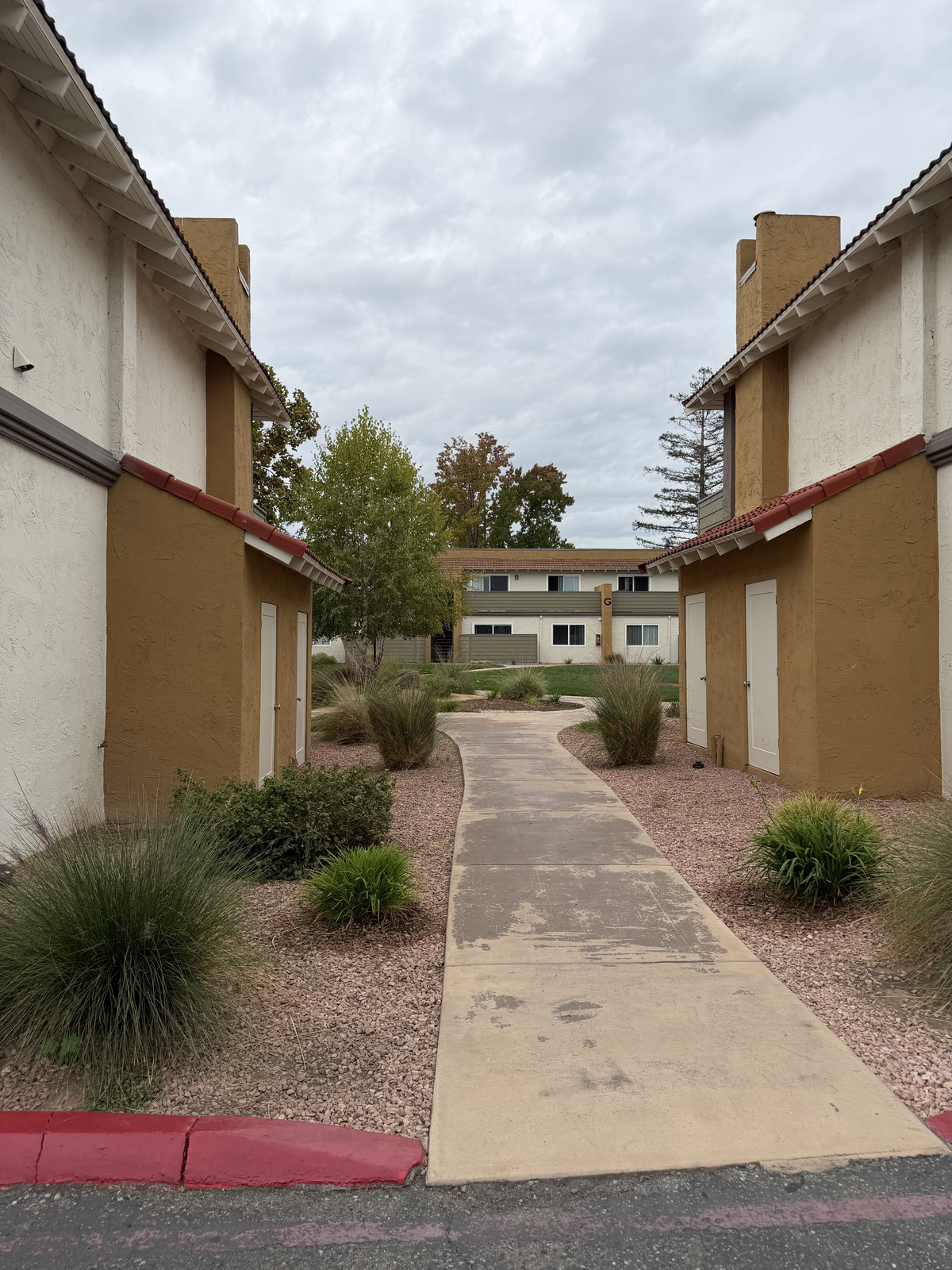
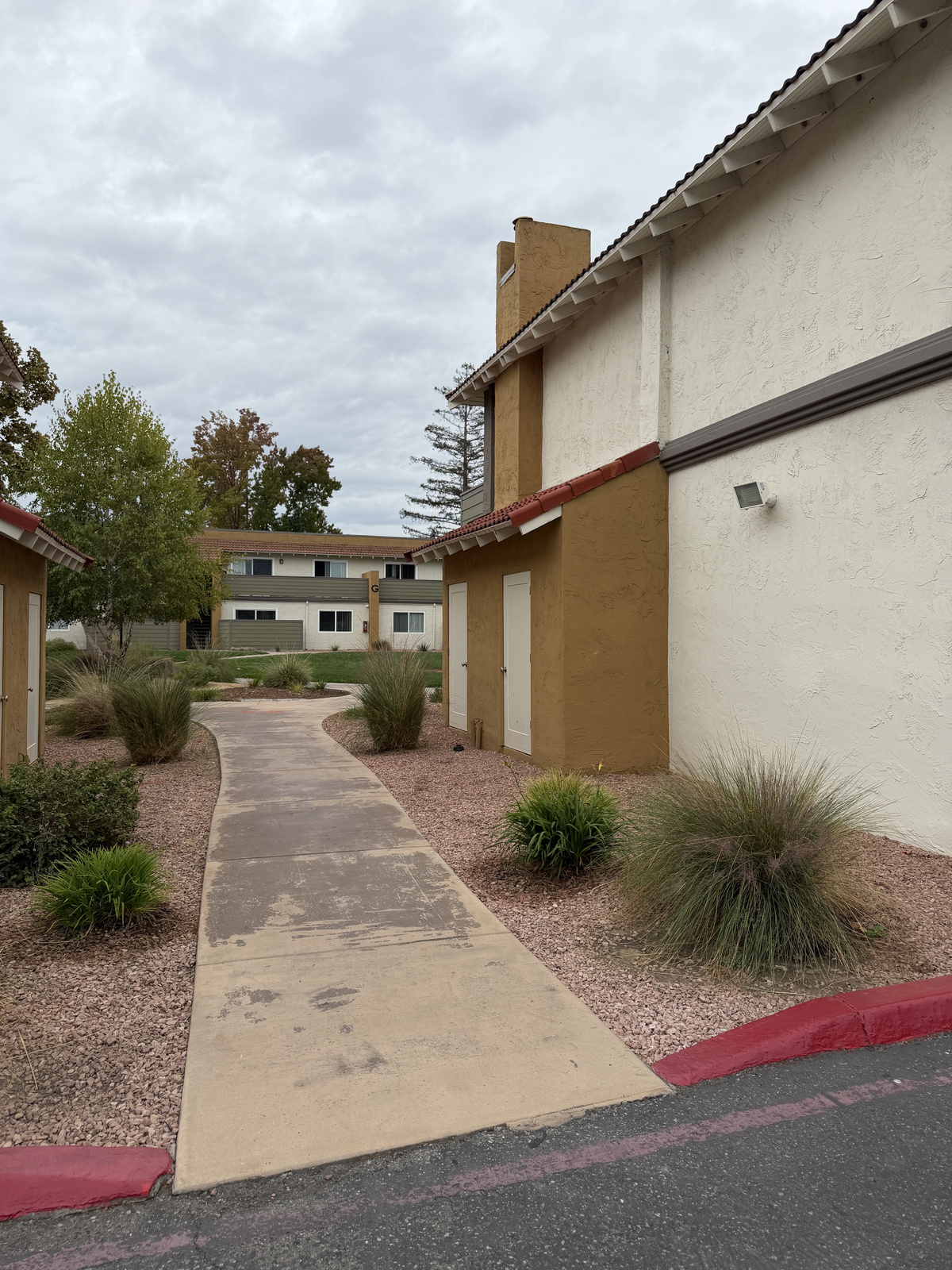
Three pairs shot in Cupertino with the iPhone 17 Pro’s 1× camera. For each pair I kept the phone in place and only rotated it (about 17–19°), so the two photos share a center of projection and are related by a homography. The photos overlap by 63–69%.
Set 1: Visitor Center sign
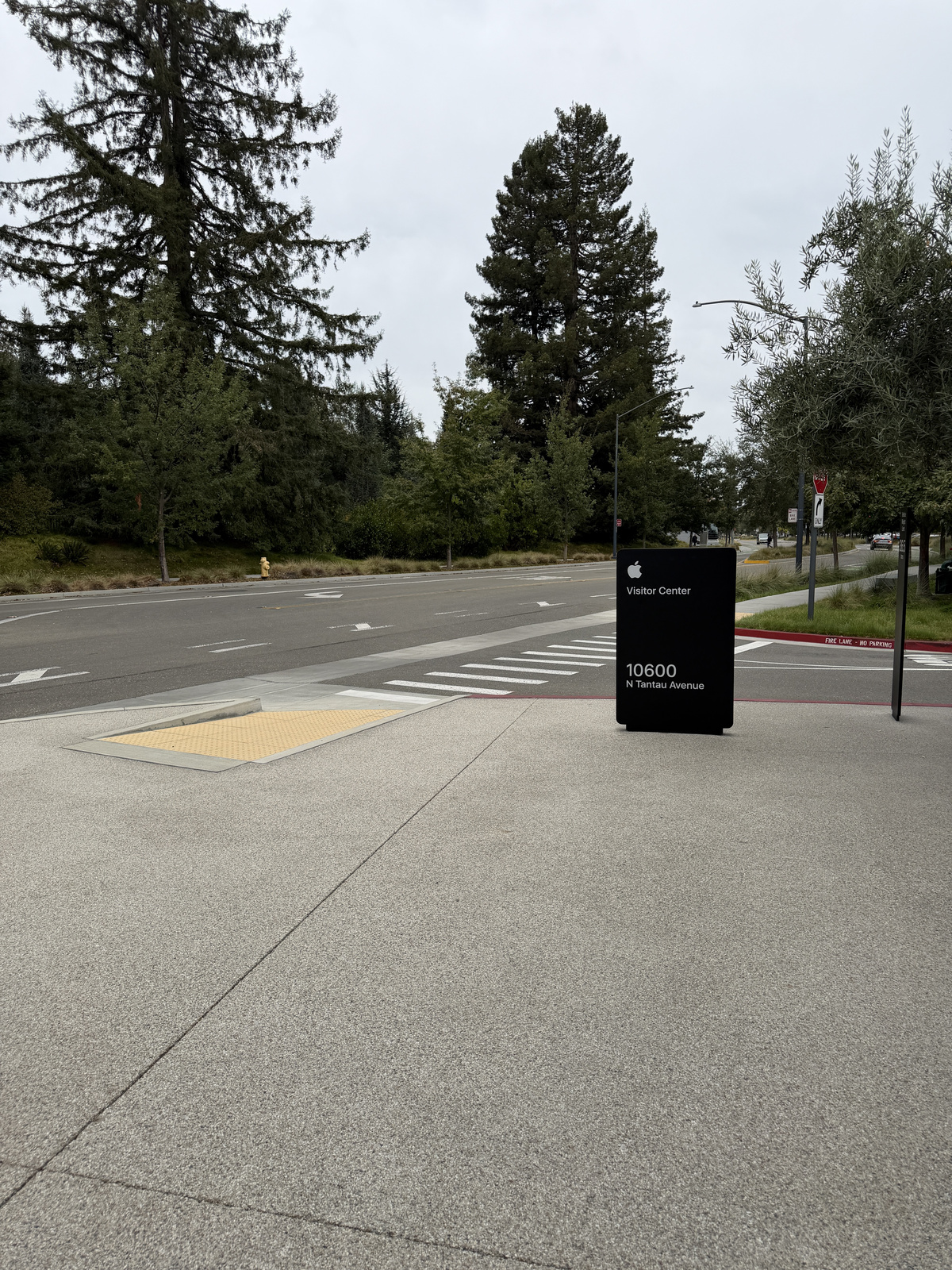
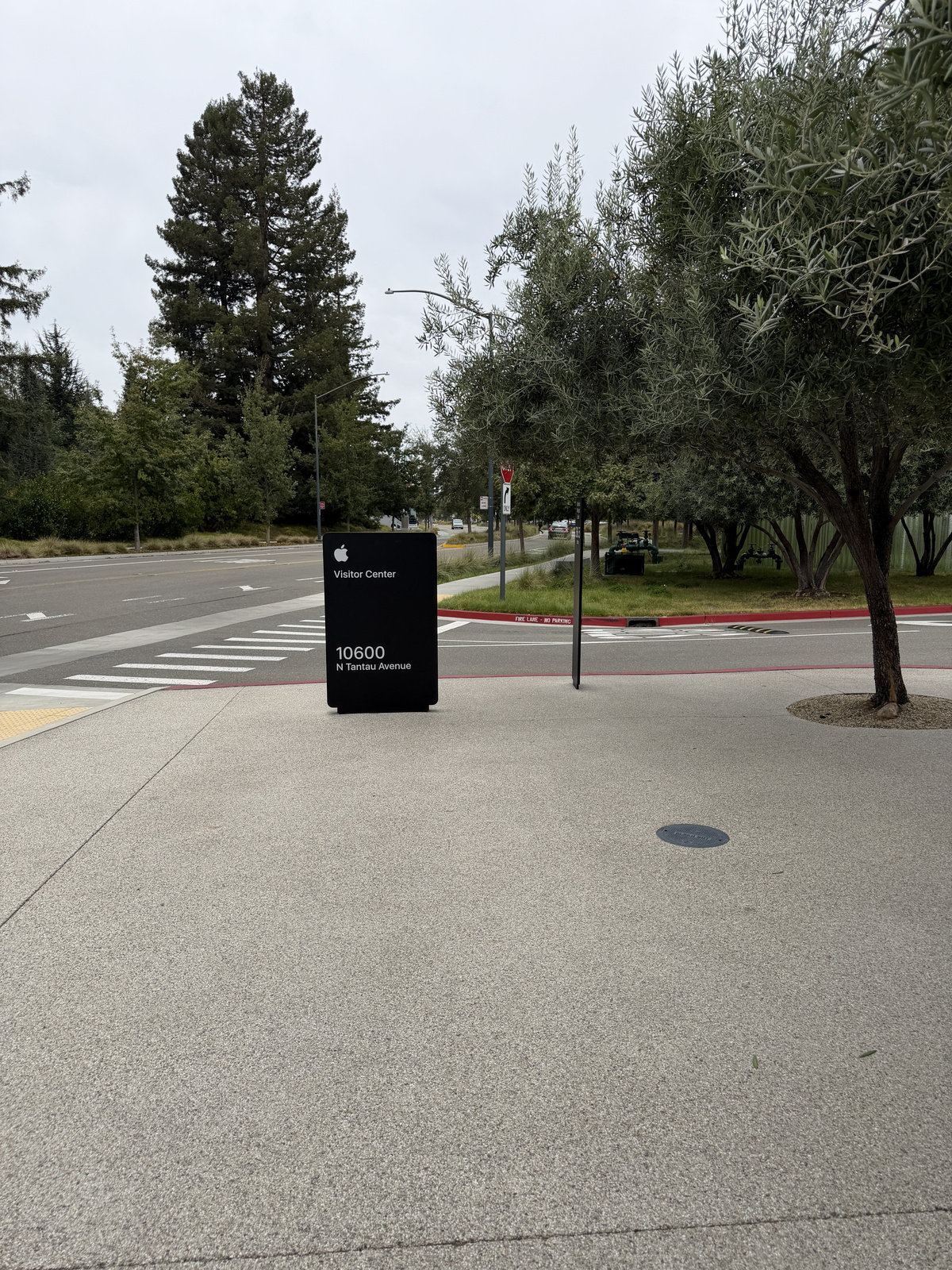
Set 2: Olive tree path
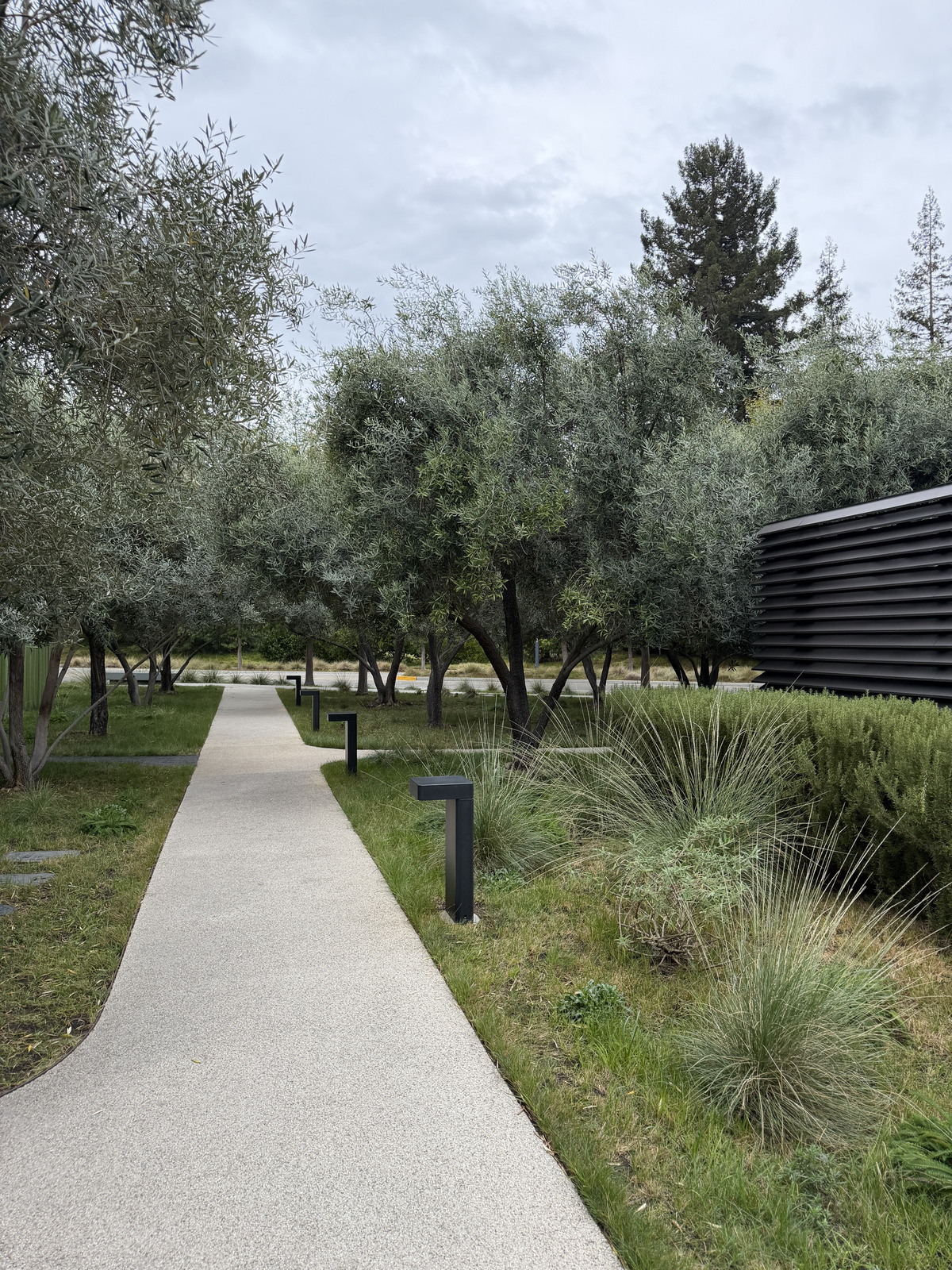
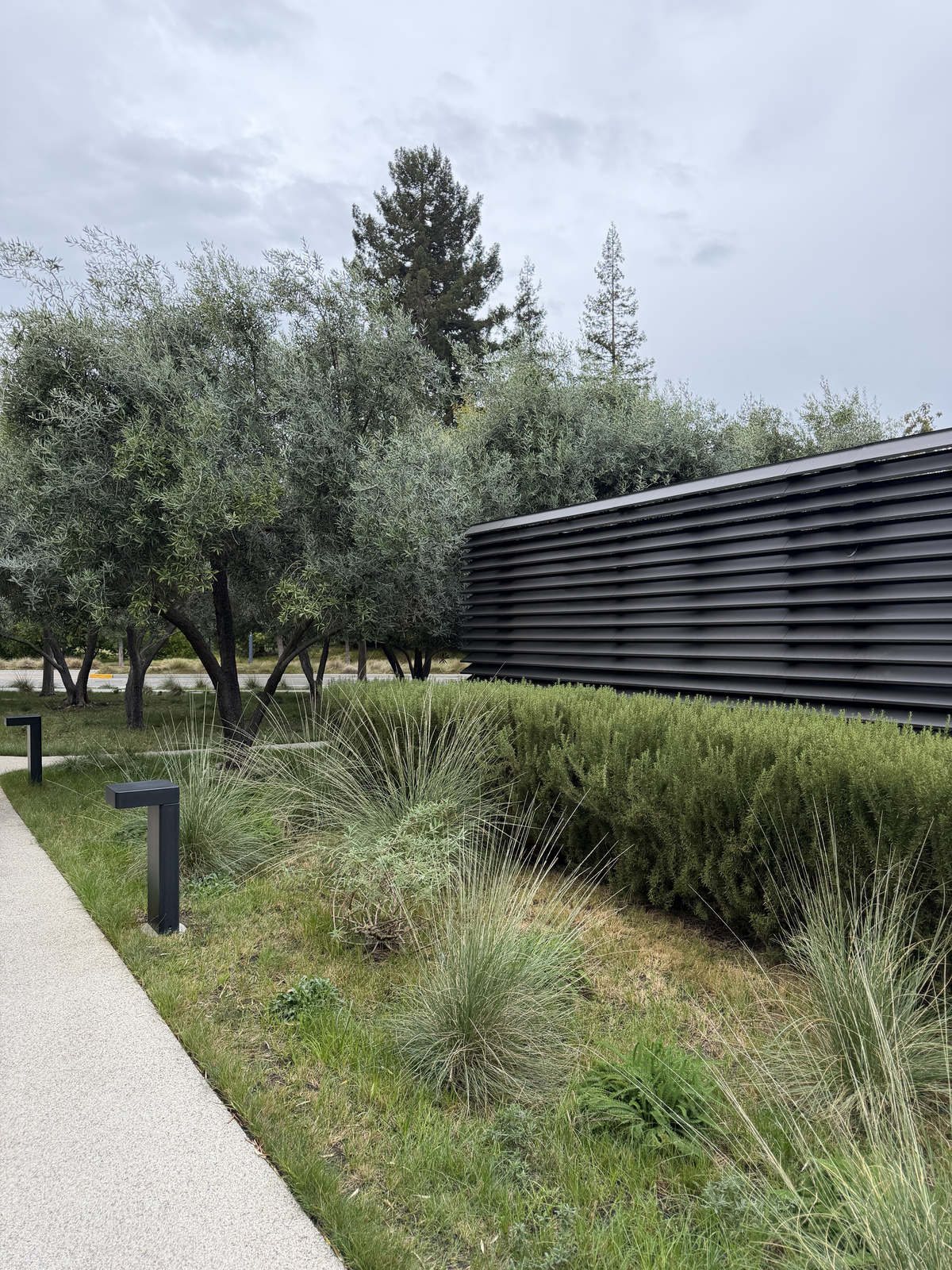
Set 3: Apartment walkway
A.2 Recovering Homographies
A homography maps \((x, y)\) to \((x', y')\) up to scale:
\[ \begin{bmatrix} w x' \\ w y' \\ w \end{bmatrix} = \begin{bmatrix} a & b & c \\ d & e & f \\ g & h & 1 \end{bmatrix} \begin{bmatrix} x \\ y \\ 1 \end{bmatrix}. \]
Dividing out \(w\) and clearing the denominator gives two linear equations per correspondence:
\[ \begin{bmatrix} x & y & 1 & 0 & 0 & 0 & -x x' & -y x' \\ 0 & 0 & 0 & x & y & 1 & -x y' & -y y' \end{bmatrix} \mathbf h = \begin{bmatrix} x' \\ y' \end{bmatrix}, \qquad \mathbf h = (a, b, c, d, e, f, g, h)^\top. \]
Stacking \(n\) correspondences gives a \(2n \times 8\) system \(A\mathbf h = \mathbf b\), which I solve with least squares. I clicked 15 correspondences per pair, spread across the overlap.
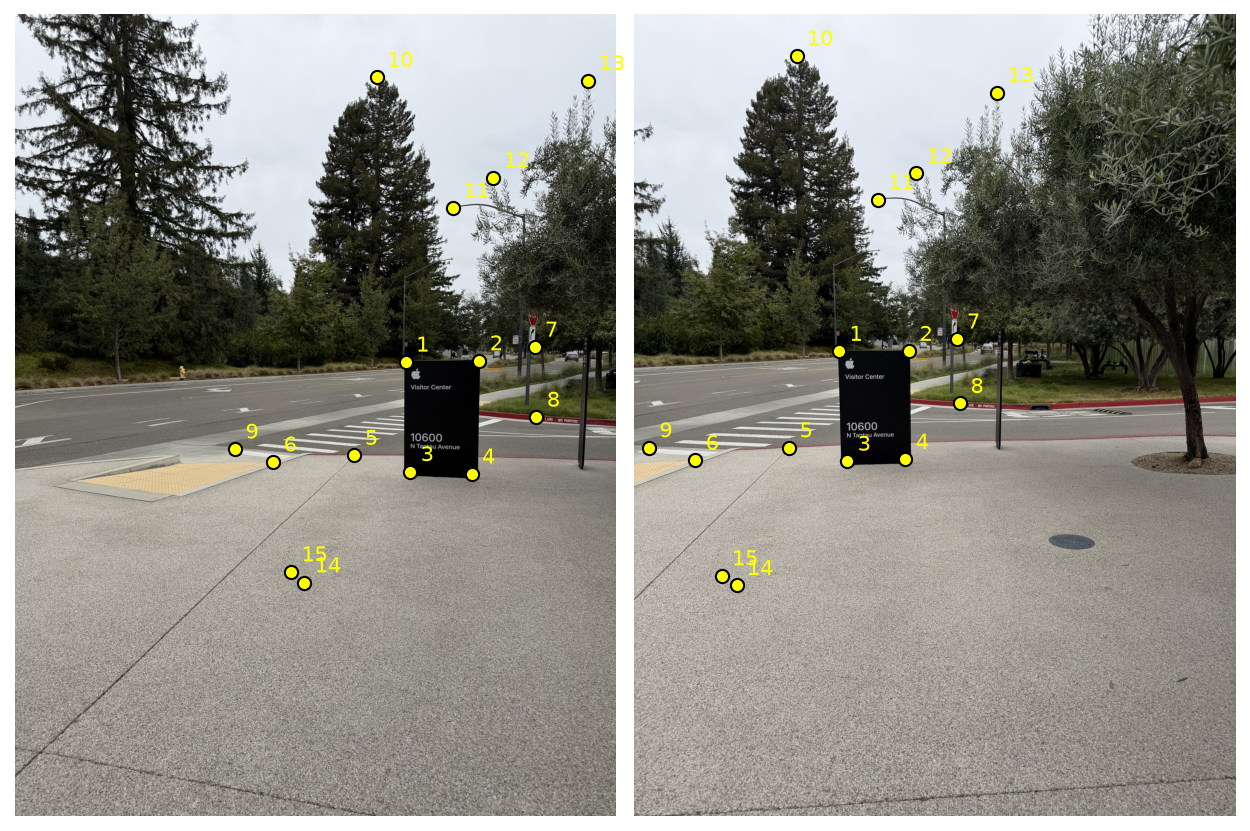
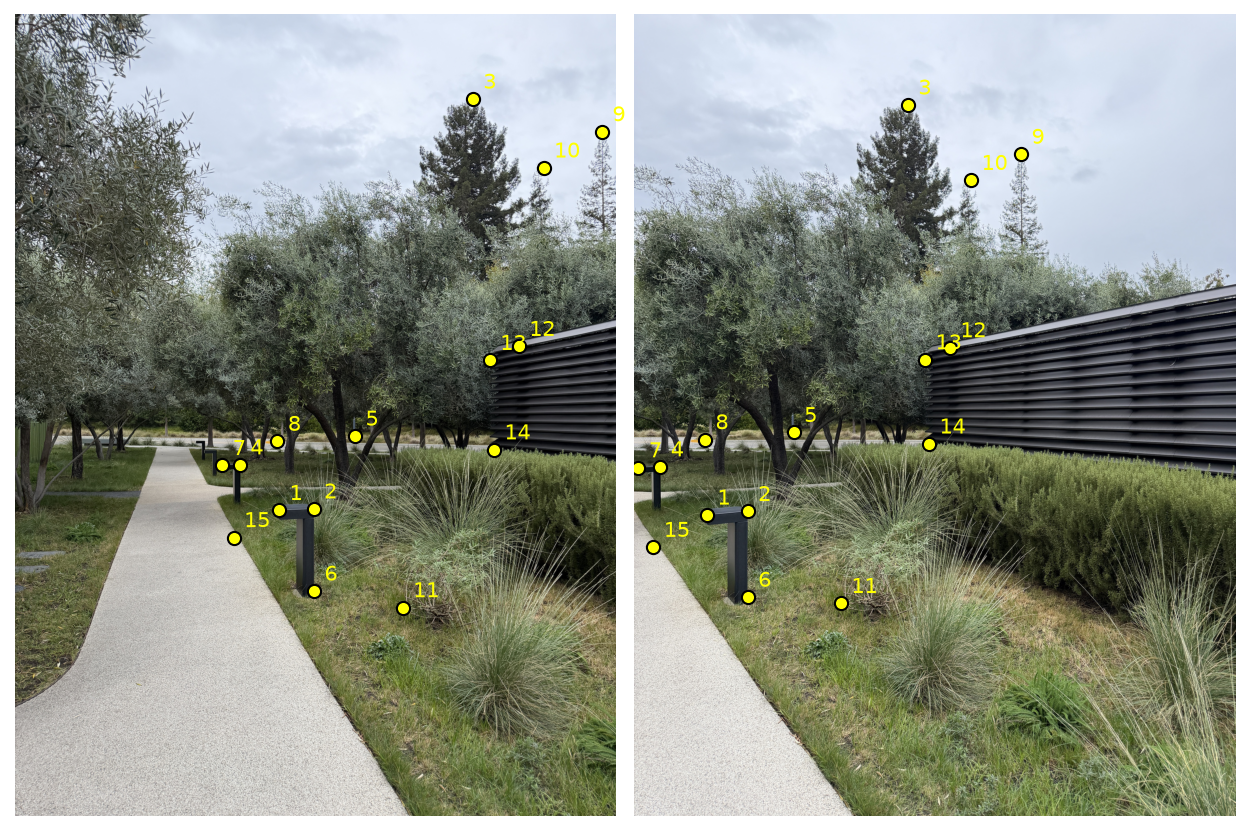
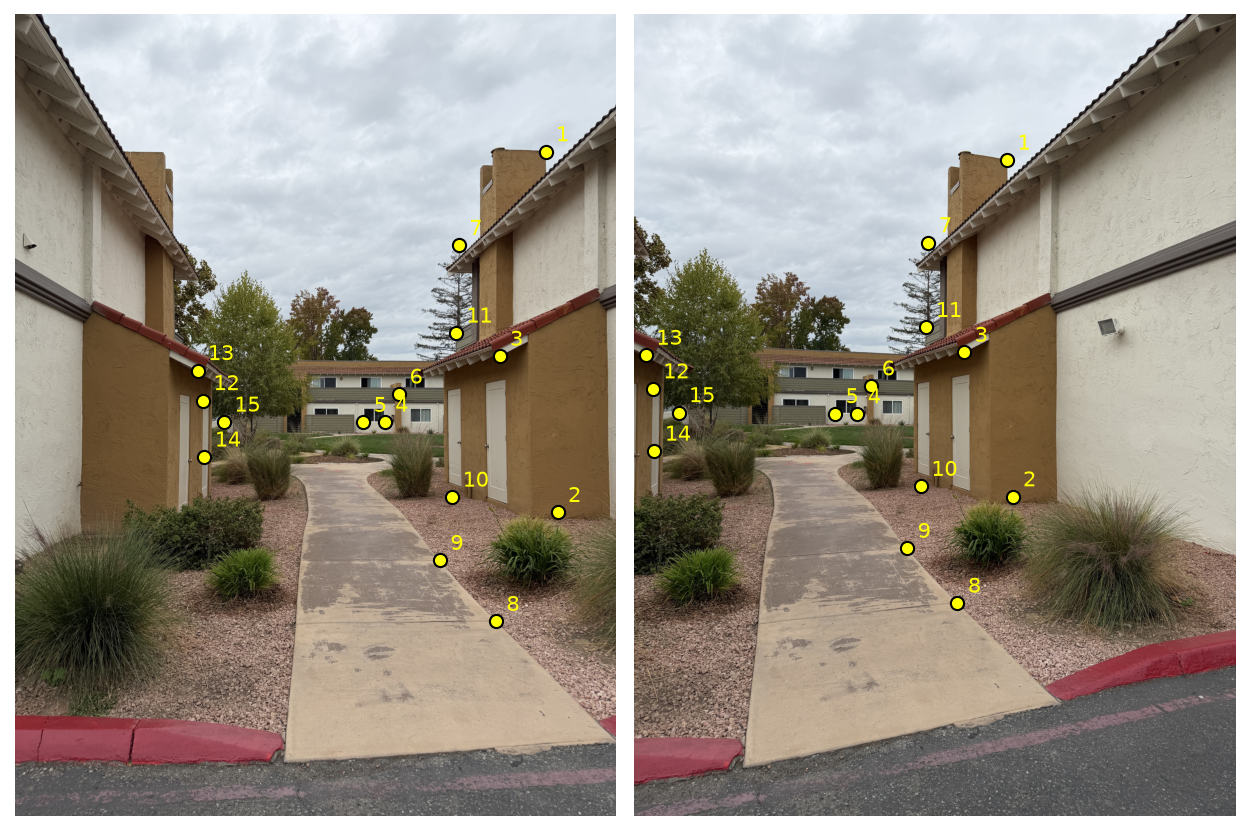
Full systems for Sets 1 and 2 (15 correspondences each, so \(30 \times 8\); rows \(2k-1\) and \(2k\) come from correspondence \(k\)).
Set 1:
\[ \small \begin{bmatrix} 779.17 & 693.52 & 1 & 0 & 0 & 0 & -317987.07 & -283032.45 \\ 0 & 0 & 0 & 779.17 & 693.52 & 1 & -523633.41 & -466073.18 \\ 926.29 & 690.92 & 1 & 0 & 0 & 0 & -507671.76 & -378672.52 \\ 0 & 0 & 0 & 926.29 & 690.92 & 1 & -622503.93 & -464325.88 \\ 788.28 & 912.25 & 1 & 0 & 0 & 0 & -334538.15 & -387149.78 \\ 0 & 0 & 0 & 788.28 & 912.25 & 1 & -702688.56 & -813197.90 \\ 910.67 & 916.81 & 1 & 0 & 0 & 0 & -491998.57 & -495315.77 \\ 0 & 0 & 0 & 910.67 & 916.81 & 1 & -808228.73 & -813678.04 \\ 676.97 & 879.70 & 1 & 0 & 0 & 0 & -208852.01 & -271396.25 \\ 0 & 0 & 0 & 676.97 & 879.70 & 1 & -585396.27 & -760702.98 \\ 514.87 & 892.72 & 1 & 0 & 0 & 0 & -62314.72 & -108045.90 \\ 0 & 0 & 0 & 514.87 & 892.72 & 1 & -457961.42 & -794047.66 \\ 1036.31 & 663.58 & 1 & 0 & 0 & 0 & -665787.72 & -426323.61 \\ 0 & 0 & 0 & 1036.31 & 663.58 & 1 & -670803.46 & -429535.33 \\ 1040.21 & 803.54 & 1 & 0 & 0 & 0 & -675751.62 & -522003.69 \\ 0 & 0 & 0 & 1040.21 & 803.54 & 1 & -807400.60 & -623699.71 \\ 438.71 & 867.33 & 1 & 0 & 0 & 0 & -12542.72 & -24796.96 \\ 0 & 0 & 0 & 438.71 & 867.33 & 1 & -379365.70 & -750006.27 \\ 721.88 & 125.22 & 1 & 0 & 0 & 0 & -233520.96 & -40507.42 \\ 0 & 0 & 0 & 721.88 & 125.22 & 1 & -59374.63 & -10299.34 \\ 873.56 & 386.26 & 1 & 0 & 0 & 0 & -424183.26 & -187560.13 \\ 0 & 0 & 0 & 873.56 & 386.26 & 1 & -322631.91 & -142657.41 \\ 954.28 & 325.72 & 1 & 0 & 0 & 0 & -536677.53 & -183181.67 \\ 0 & 0 & 0 & 954.28 & 325.72 & 1 & -302754.87 & -103337.93 \\ 1143.72 & 131.73 & 1 & 0 & 0 & 0 & -827870.28 & -95351.44 \\ 0 & 0 & 0 & 1143.72 & 131.73 & 1 & -178203.01 & -20524.85 \\ 577.17 & 1133.84 & 1 & 0 & 0 & 0 & -117575.30 & -230974.55 \\ 0 & 0 & 0 & 577.17 & 1133.84 & 1 & -657650.58 & -1291942.65 \\ 550.45 & 1112.23 & 1 & 0 & 0 & 0 & -95646.19 & -193261.08 \\ 0 & 0 & 0 & 550.45 & 1112.23 & 1 & -616454.46 & -1245597.50 \end{bmatrix} \mathbf h = \begin{bmatrix} 408.11 \\ 672.04 \\ 548.07 \\ 672.04 \\ 424.39 \\ 891.42 \\ 540.26 \\ 887.51 \\ 308.51 \\ 864.73 \\ 121.03 \\ 889.47 \\ 642.46 \\ 647.30 \\ 649.63 \\ 776.19 \\ 28.59 \\ 864.73 \\ 323.49 \\ 82.25 \\ 485.58 \\ 369.33 \\ 562.39 \\ 317.26 \\ 723.84 \\ 155.81 \\ 203.71 \\ 1139.44 \\ 173.76 \\ 1119.91 \end{bmatrix}. \]
Set 2:
\[ \small \begin{bmatrix} 526.59 & 989.72 & 1 & 0 & 0 & 0 & -76076.46 & -142984.85 \\ 0 & 0 & 0 & 526.59 & 989.72 & 1 & -525973.89 & -988562.03 \\ 595.59 & 986.46 & 1 & 0 & 0 & 0 & -134508.05 & -222782.13 \\ 0 & 0 & 0 & 595.59 & 986.46 & 1 & -590628.74 & -978242.79 \\ 913.27 & 168.83 & 1 & 0 & 0 & 0 & -498161.39 & -92091.70 \\ 0 & 0 & 0 & 913.27 & 168.83 & 1 & -164890.90 & -30482.26 \\ 448.47 & 898.58 & 1 & 0 & 0 & 0 & -23042.39 & -46169.04 \\ 0 & 0 & 0 & 448.47 & 898.58 & 1 & -404735.21 & -810950.48 \\ 678.27 & 841.29 & 1 & 0 & 0 & 0 & -215438.90 & -267218.94 \\ 0 & 0 & 0 & 678.27 & 841.29 & 1 & -565765.36 & -701745.23 \\ 596.25 & 1150.51 & 1 & 0 & 0 & 0 & -134657.10 & -259831.18 \\ 0 & 0 & 0 & 596.25 & 1150.51 & 1 & -693367.20 & -1337905.07 \\ 413.32 & 899.88 & 1 & 0 & 0 & 0 & -3207.36 & -6983.07 \\ 0 & 0 & 0 & 413.32 & 899.88 & 1 & -373823.14 & -813887.47 \\ 523.34 & 851.71 & 1 & 0 & 0 & 0 & -73560.67 & -119716.36 \\ 0 & 0 & 0 & 523.34 & 851.71 & 1 & -444027.82 & -722633.35 \\ 1171.06 & 233.93 & 1 & 0 & 0 & 0 & -903308.84 & -180444.24 \\ 0 & 0 & 0 & 1171.06 & 233.93 & 1 & -326550.08 & -65231.38 \\ 1054.53 & 306.19 & 1 & 0 & 0 & 0 & -708391.07 & -205686.19 \\ 0 & 0 & 0 & 1054.53 & 306.19 & 1 & -348975.61 & -101327.46 \\ 773.31 & 1183.71 & 1 & 0 & 0 & 0 & -318619.19 & -487712.19 \\ 0 & 0 & 0 & 773.31 & 1183.71 & 1 & -908824.84 & -1391143.34 \\ 1005.06 & 662.27 & 1 & 0 & 0 & 0 & -632624.97 & -416859.23 \\ 0 & 0 & 0 & 1005.06 & 662.27 & 1 & -668244.29 & -440330.08 \\ 947.12 & 690.27 & 1 & 0 & 0 & 0 & -549301.19 & -400335.89 \\ 0 & 0 & 0 & 947.12 & 690.27 & 1 & -652527.80 & -475568.42 \\ 955.59 & 868.63 & 1 & 0 & 0 & 0 & -561676.69 & -510563.34 \\ 0 & 0 & 0 & 955.59 & 868.63 & 1 & -818864.18 & -744346.42 \\ 436.10 & 1043.75 & 1 & 0 & 0 & 0 & -16445.33 & -39359.81 \\ 0 & 0 & 0 & 436.10 & 1043.75 & 1 & -463696.41 & -1109798.50 \end{bmatrix} \mathbf h = \begin{bmatrix} 144.47 \\ 998.83 \\ 225.84 \\ 991.67 \\ 545.47 \\ 180.55 \\ 51.38 \\ 902.48 \\ 317.63 \\ 834.13 \\ 225.84 \\ 1162.88 \\ 7.76 \\ 904.44 \\ 140.56 \\ 848.45 \\ 771.36 \\ 278.85 \\ 671.76 \\ 330.93 \\ 412.02 \\ 1175.24 \\ 629.44 \\ 664.88 \\ 579.97 \\ 688.96 \\ 587.78 \\ 856.92 \\ 37.71 \\ 1063.28 \end{bmatrix}. \]
Recovered homographies (left photo → right photo):
\[ H_1 = \begin{bmatrix} 1.5195 & 0.0606 & -683.89 \\ 0.2781 & 1.3733 & -267.93 \\ 4.060 \times 10^{-4} & 3.359 \times 10^{-5} & 1 \end{bmatrix}, \]
\[ H_2 = \begin{bmatrix} 1.4675 & 0.0114 & -607.27 \\ 0.2970 & 1.3179 & -251.65 \\ 3.770 \times 10^{-4} & 1.331 \times 10^{-5} & 1 \end{bmatrix}, \]
\[ H_3 = \begin{bmatrix} 1.4589 & 0.0014 & -504.99 \\ 0.2993 & 1.3310 & -271.69 \\ 3.682 \times 10^{-4} & 2.845 \times 10^{-5} & 1 \end{bmatrix}. \]
A.3 Warping the Images
Inverse warping: I send the image corners through \(H\) to get the output bounding box, then map every output pixel back through \(H^{-1}\) and sample the source. Pixels that map outside the source get alpha 0.
- Nearest neighbor: round to the closest pixel.
- Bilinear: take a weighted average of the 4 surrounding pixels, weighted by how close each one is.
Rectification
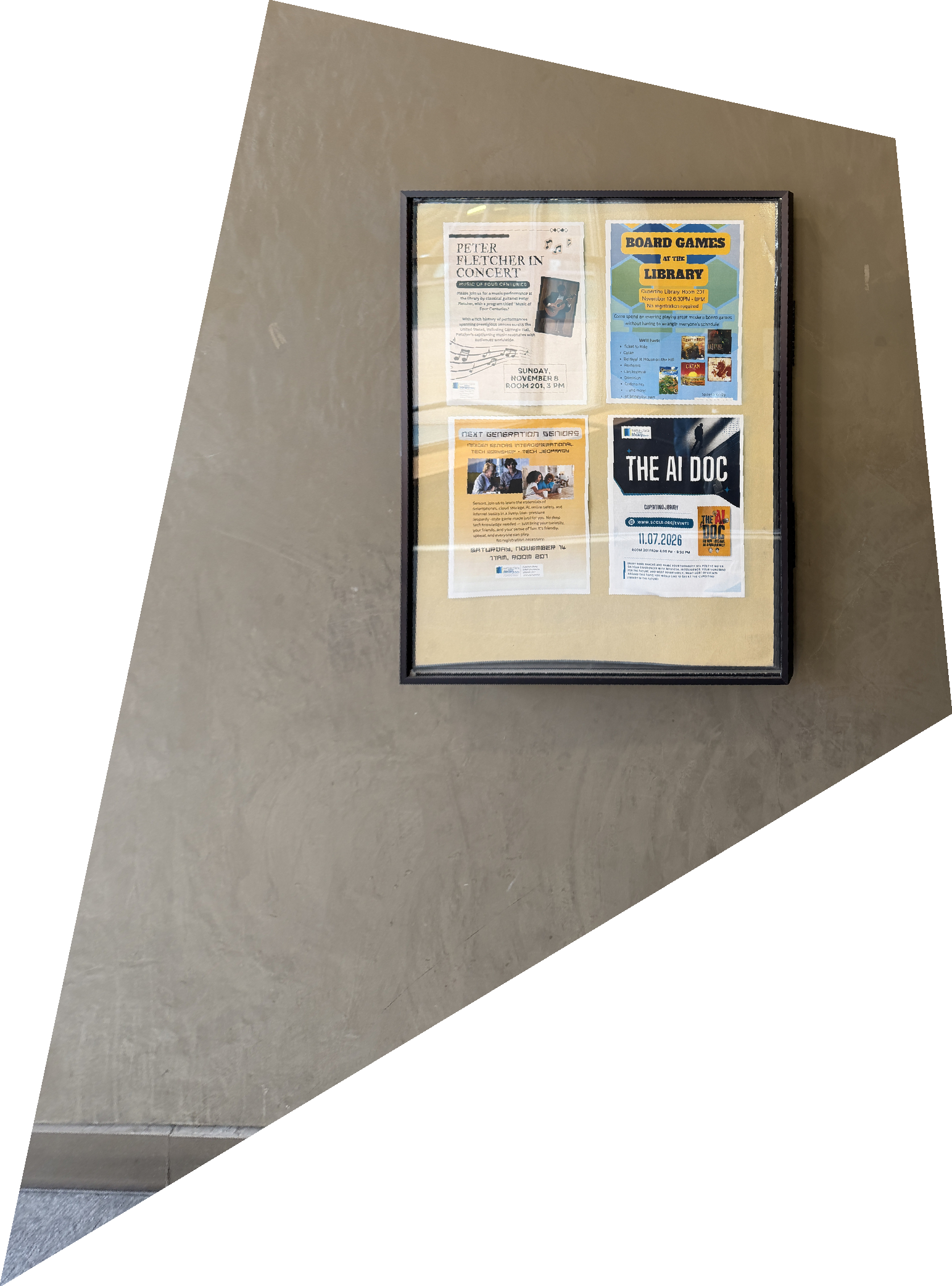
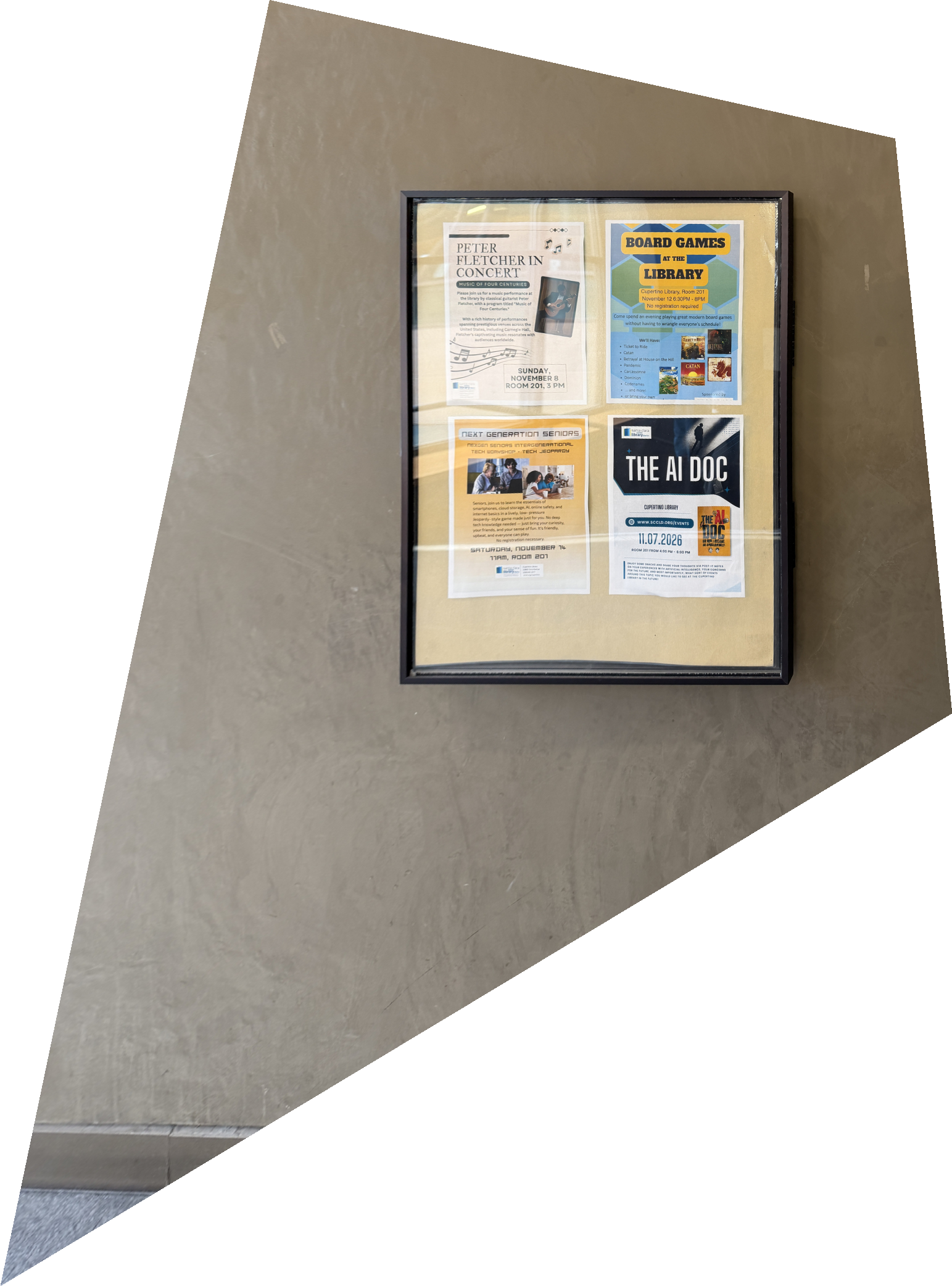
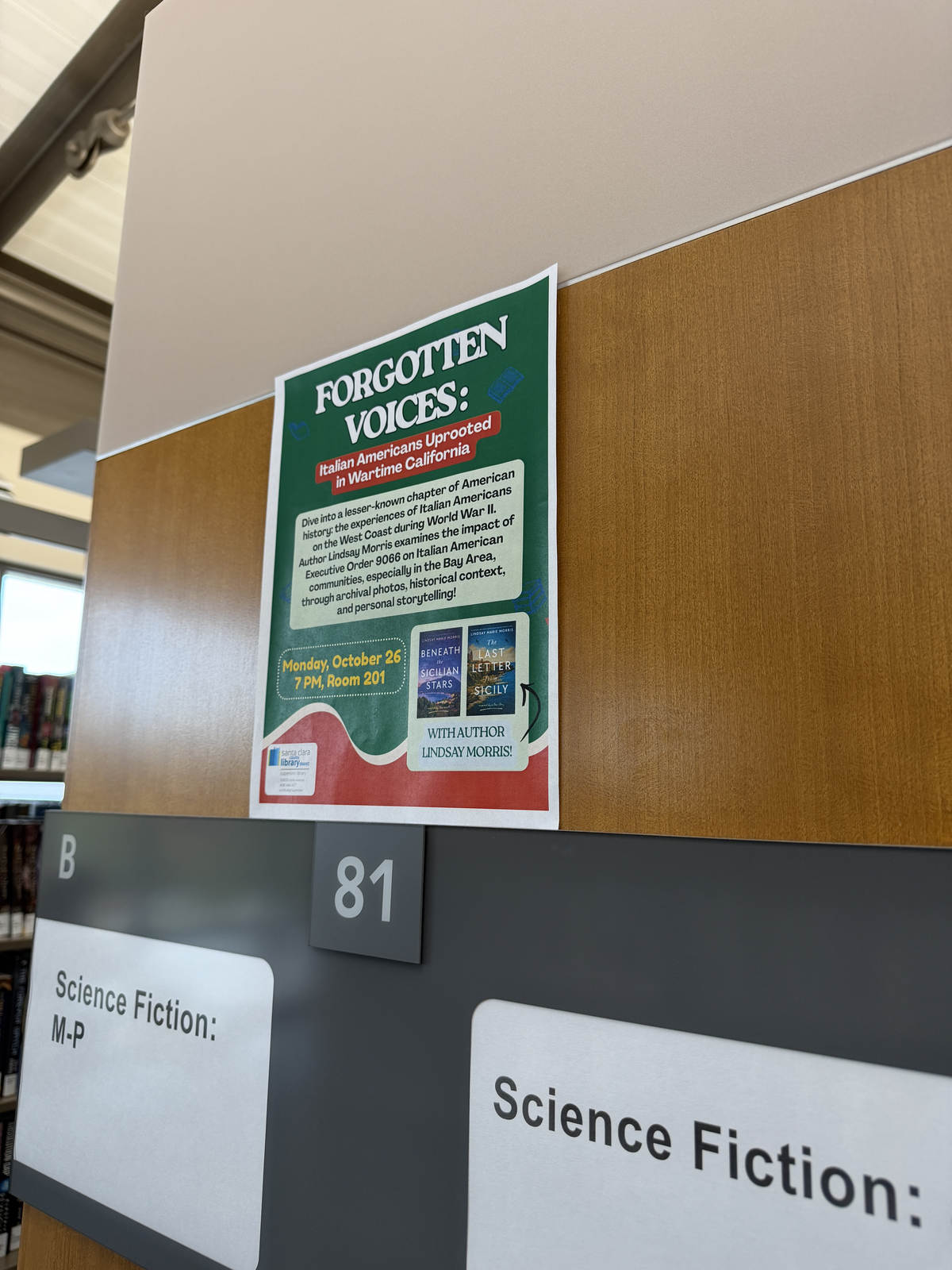
I click the four corners of a rectangular object and map them to a rectangle with its aspect ratio: 22 × 28 in for the poster frame, 8.5 × 11 in for the flyer, and about 1.6 : 1 (estimated) for the menu board.
Rectification 1: poster frame

Rectification 2: flyer
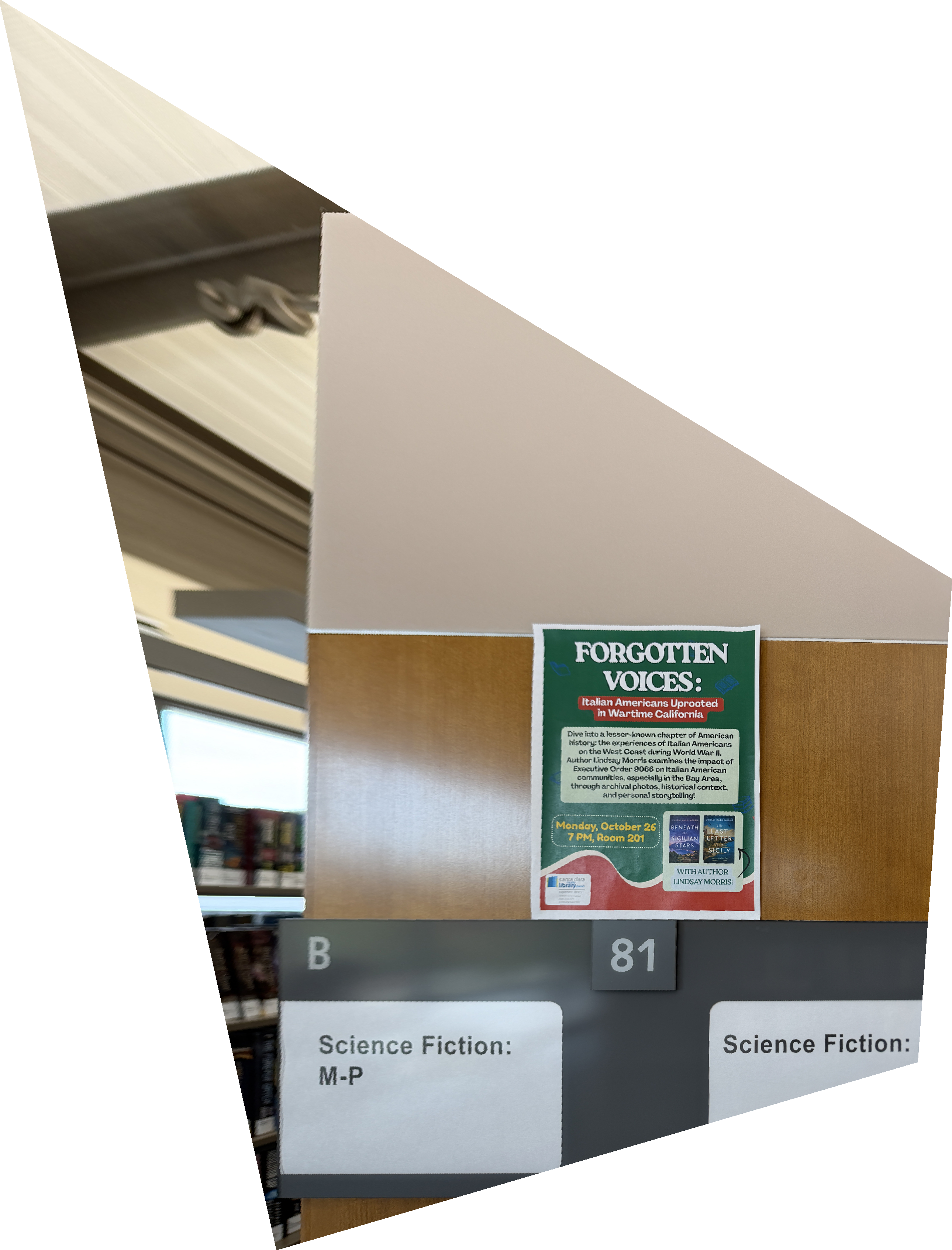
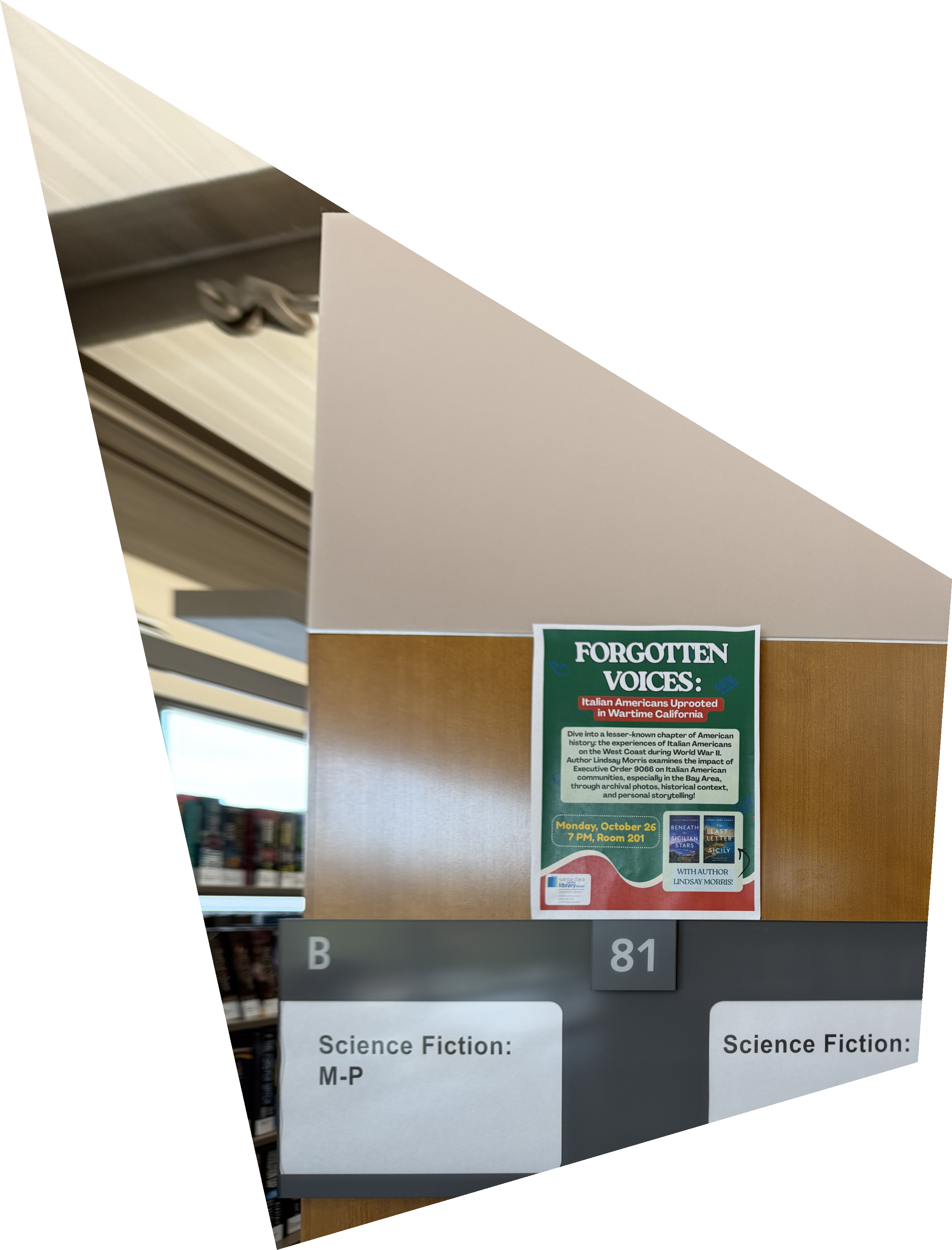
Rectification 3: menu board
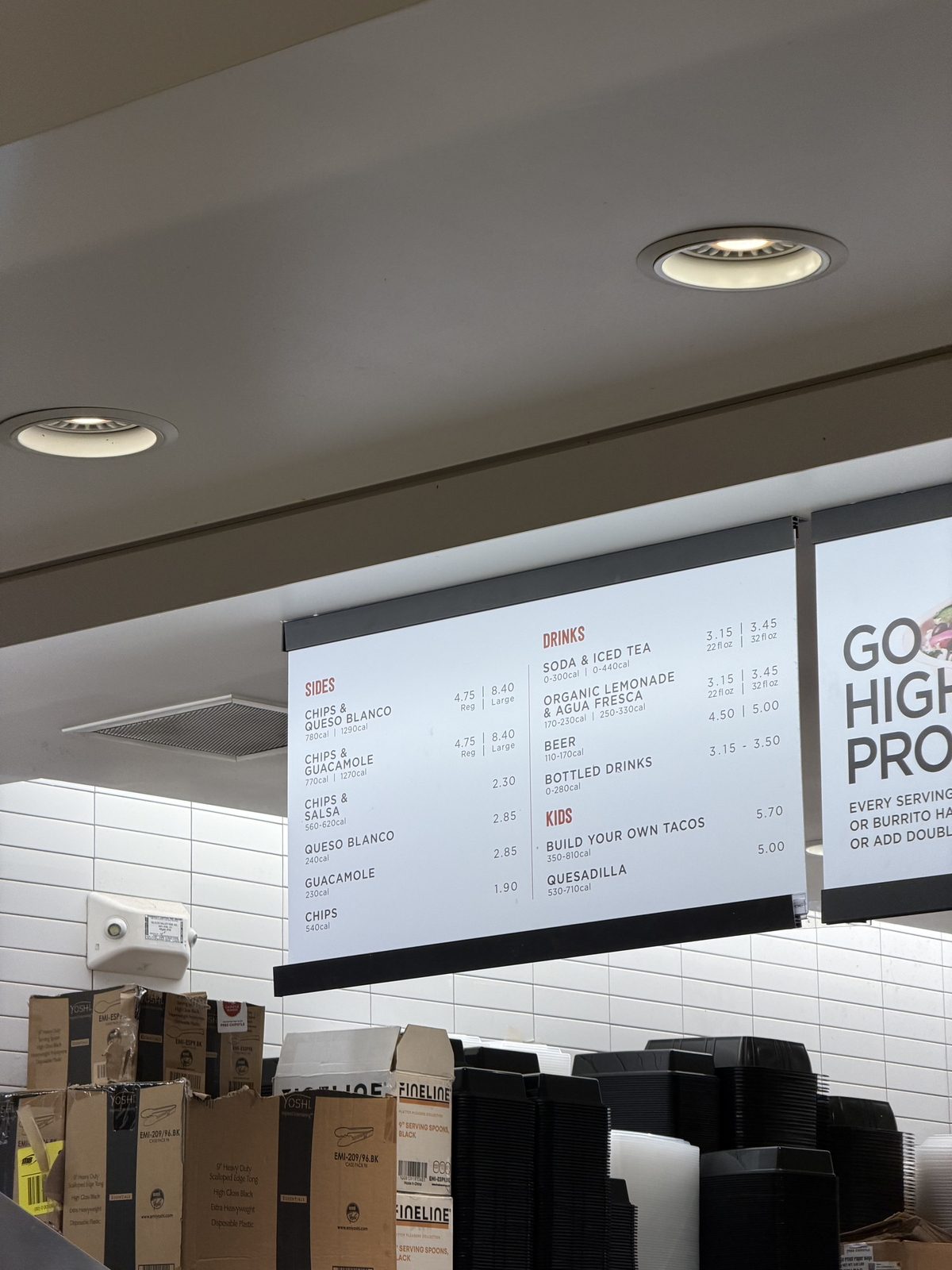
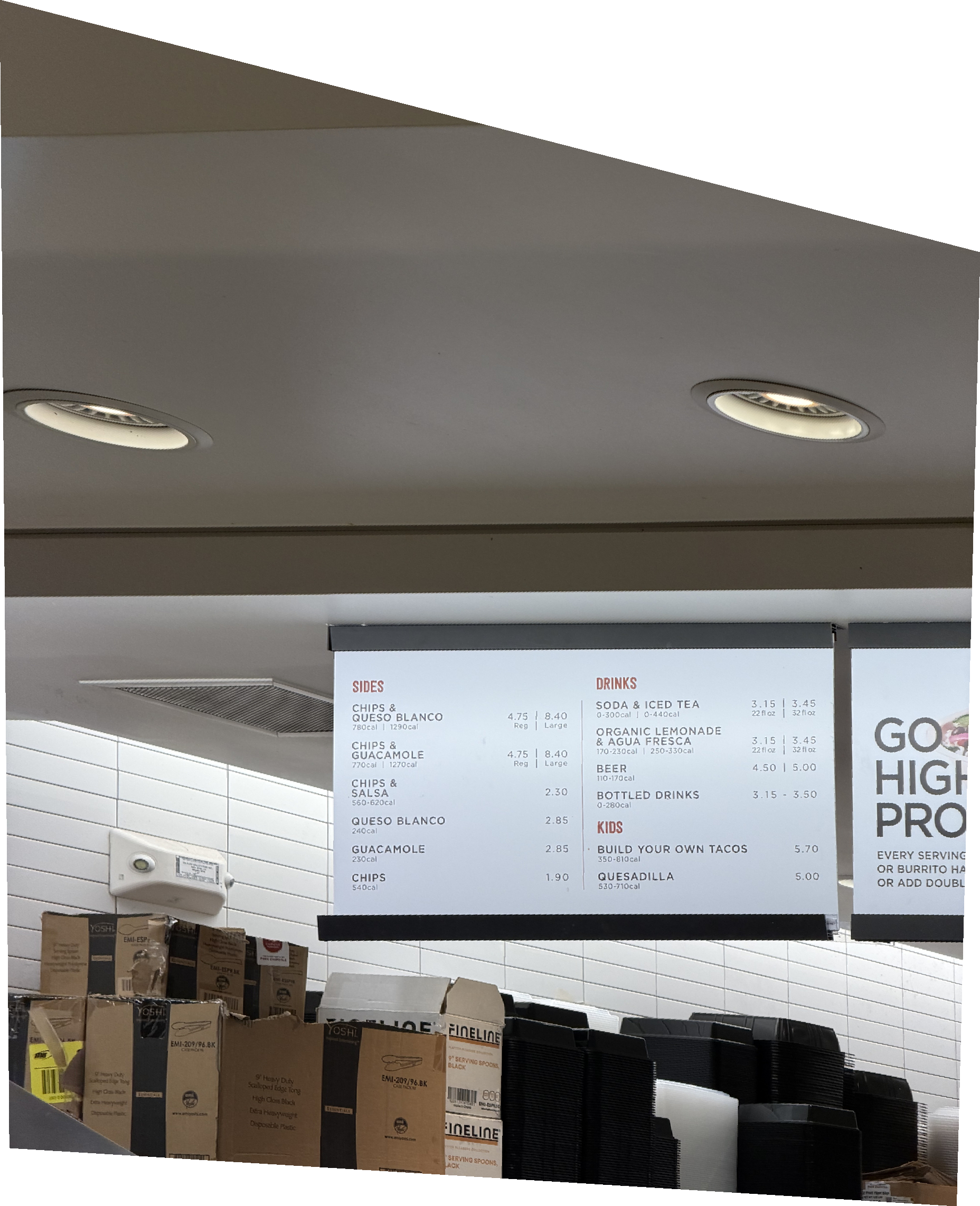
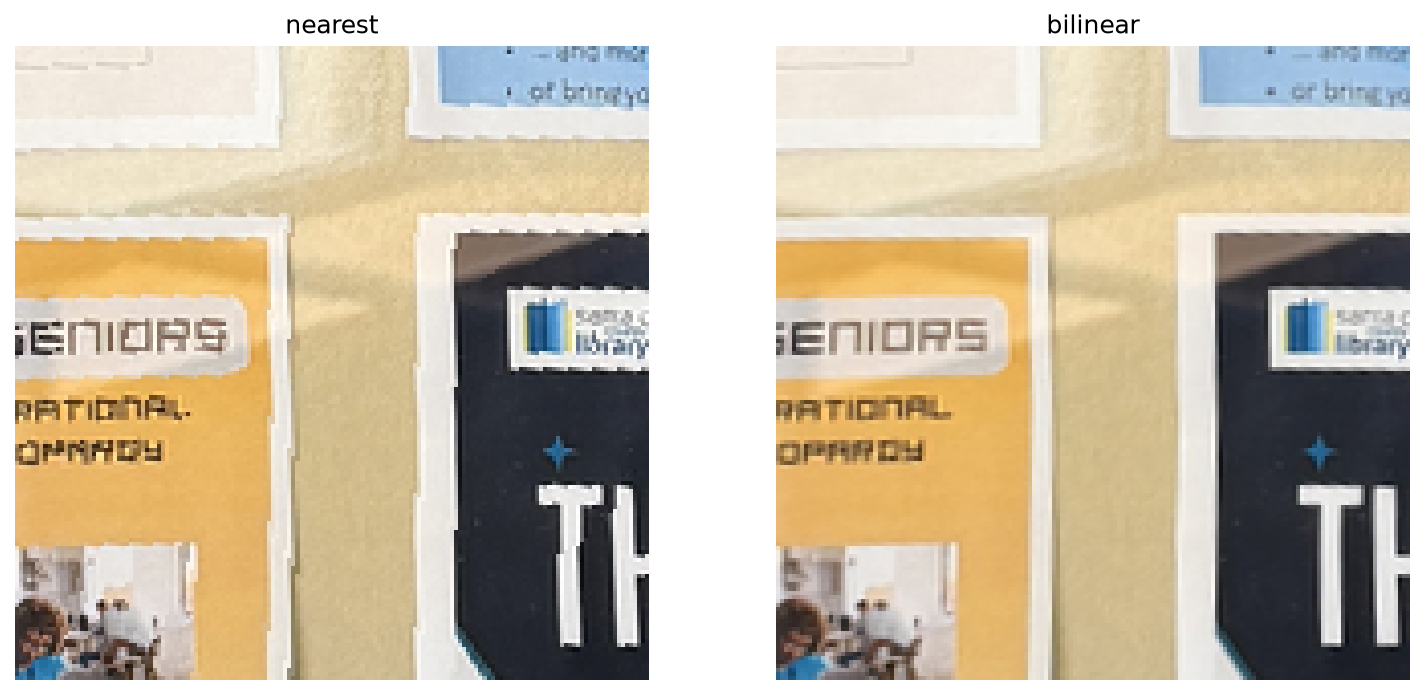
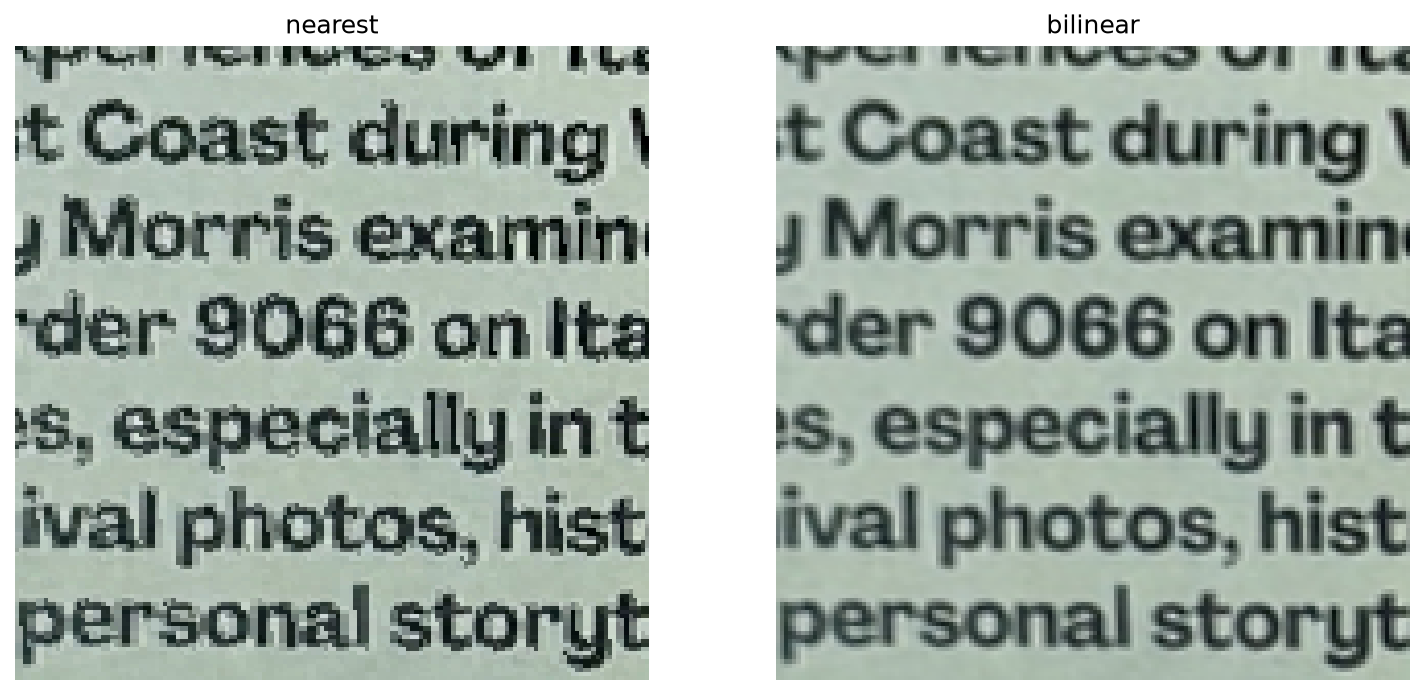
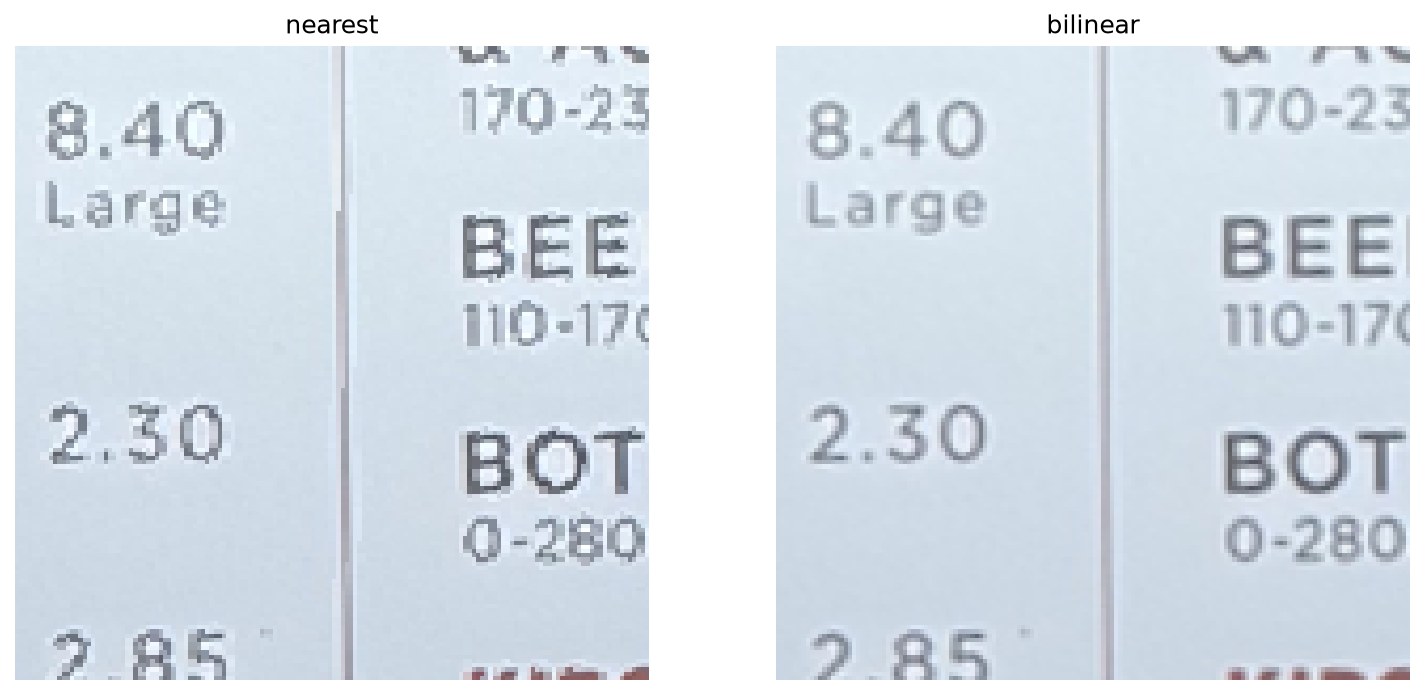
Nearest Neighbor vs. Bilinear
| Image | Output size | Nearest neighbor | Bilinear |
|---|---|---|---|
| Poster frame | 1543 × 2084 | 0.24 s | 0.46 s |
| Flyer | 2580 × 3386 | 0.72 s | 1.26 s |
| Menu board | 1856 × 2284 | 0.35 s | 0.78 s |
Bilinear is about 2× slower, since it reads four pixels instead of one. Zoomed in, nearest neighbor gives jagged, blocky letter edges where the photo is enlarged, while bilinear stays smooth and only slightly softer. The quality is worth the cost, so I use bilinear for the mosaics.
A.4 Blending into a Mosaic
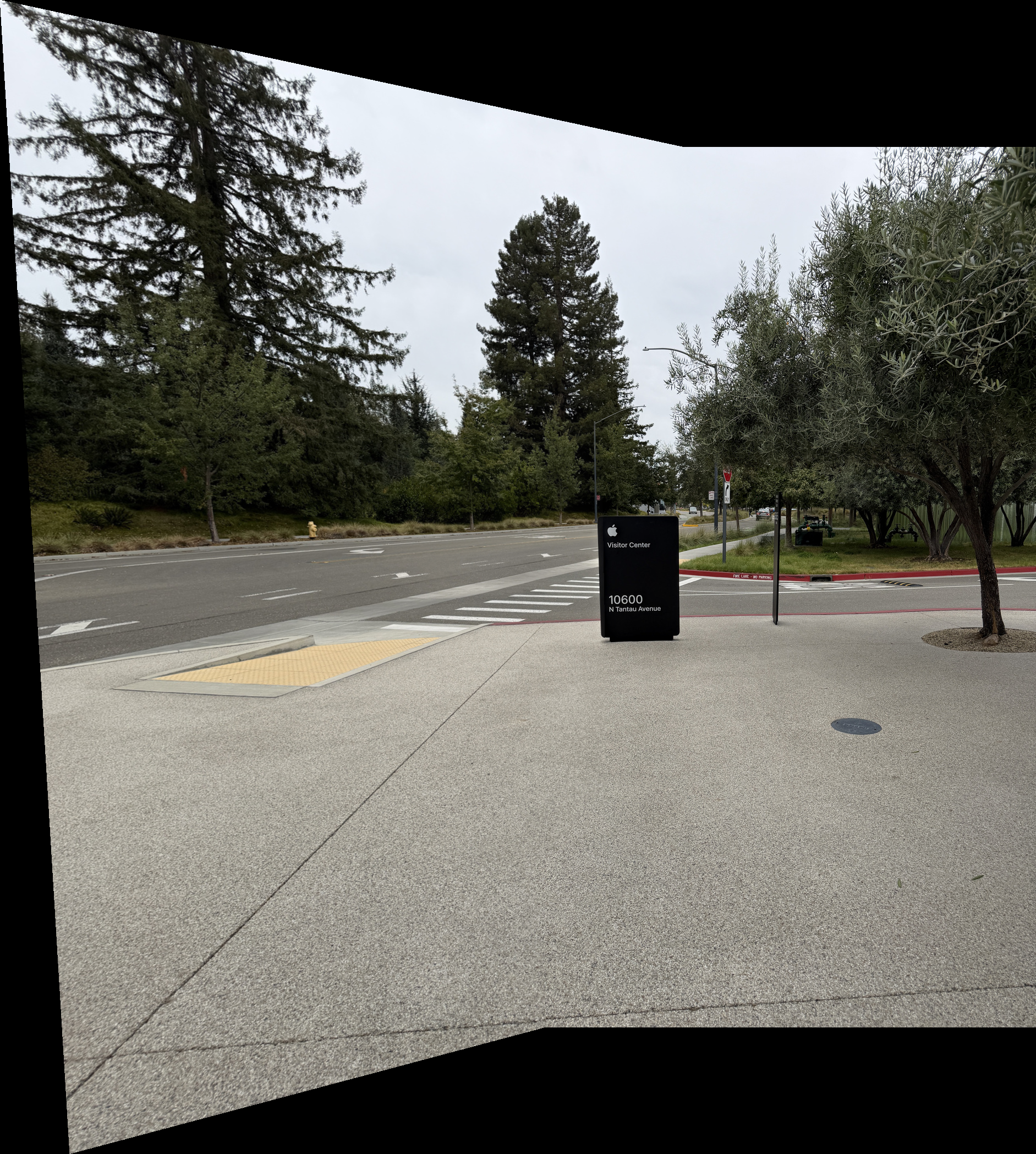
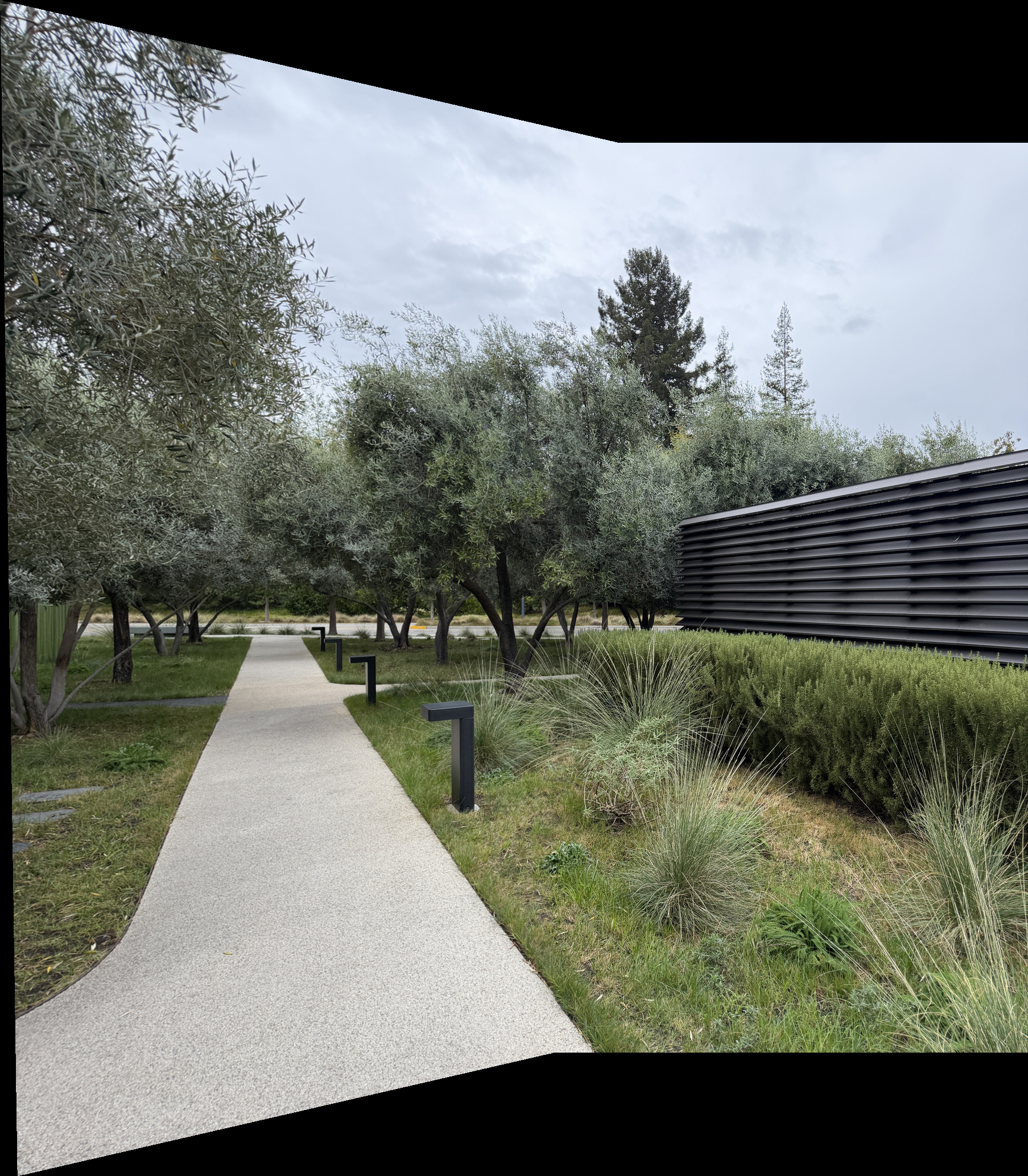
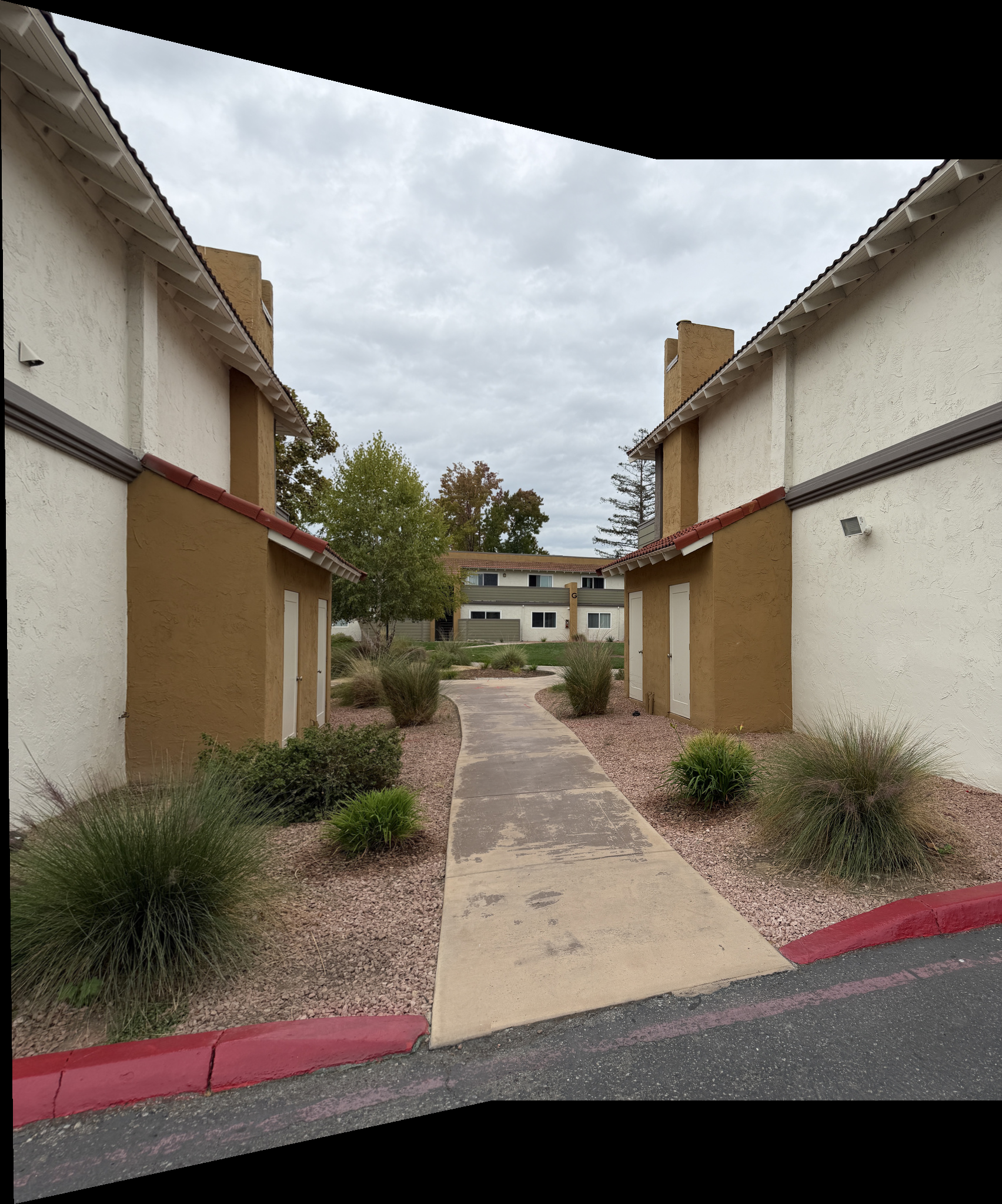
- Keep the right photo fixed and warp the left photo into its frame, on a canvas that fits both.
- Give each image a weight that is 1 at its center and falls toward 0 at its edges (a distance transform), warped along with the image.
- Blend in two bands so that small misalignments don’t show up as doubled edges:
- Low band (Gaussian blur, \(\sigma = 8\)): weighted average, so brightness changes fade across the overlap.
- High band (image minus blur): taken from whichever image has the larger weight at each pixel.
- Add the two bands to get the mosaic.
Set 1: Visitor Center sign
Set 2: Olive tree path
Set 3: Apartment walkway
Part B: Feature Matching for Autostitching
Clicking correspondences by hand in Part A was slow and never exact. Part B finds them automatically, following the MOPS paper by Brown et al. at a single scale.
B.1 Harris Corner Detection
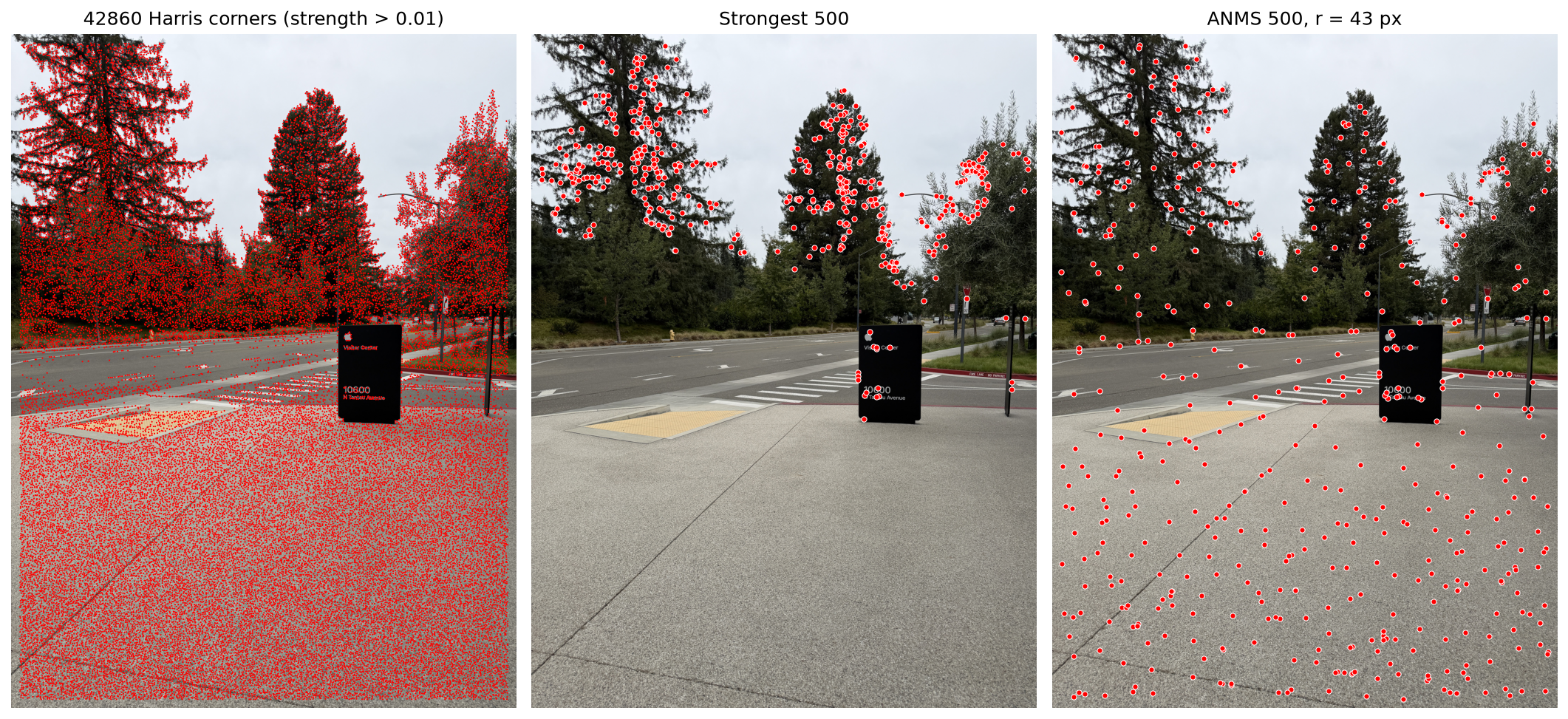
The course’s harris.py finds over 40,000 corners in this photo (left), far too many to match. Keeping only the 500 strongest (middle) piles them into the trees. ANMS instead keeps a corner only if no much stronger corner is nearby, so its 500 corners (right) cover the whole photo.
B.2 Feature Descriptor Extraction
Around each ANMS corner I blur a 40×40 window, sample it every 5 px into an 8×8 patch, and normalize the patch to mean 0 and standard deviation 1. Here are a few from Set 1:
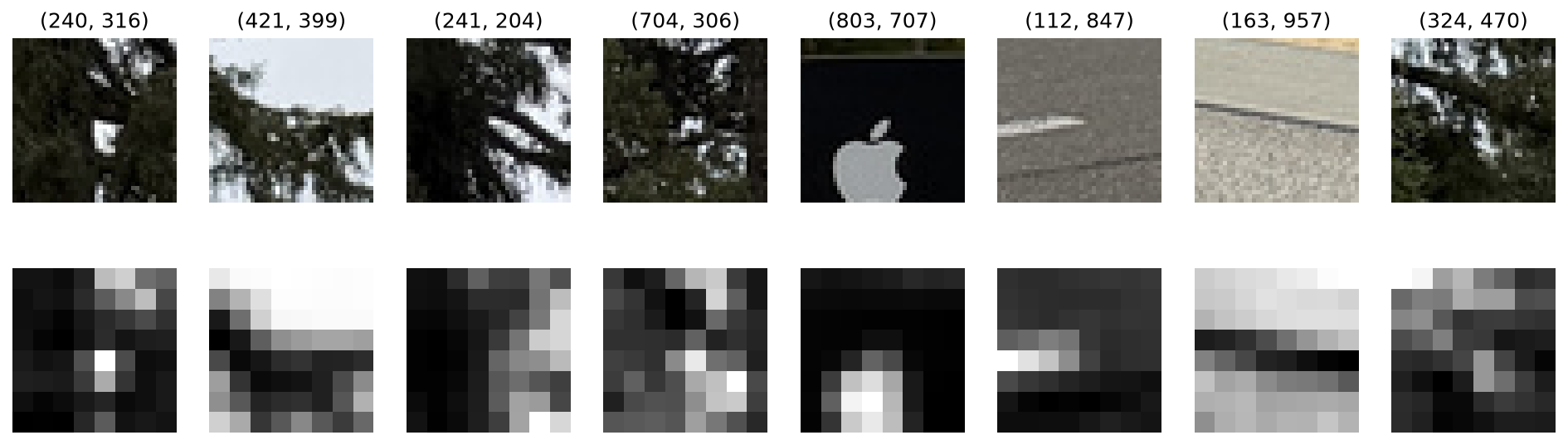
Each descriptor is a coarse copy of its window, so it still matches if the corner is off by a pixel or two, and the normalization makes it ignore brightness and contrast changes.
B.3 Feature Matching
Each feature is matched to its nearest neighbor in the other photo. I keep the match only if it is much closer than the second-nearest neighbor (ratio threshold 0.5, from Figure 6b). The lines connect the matched features:
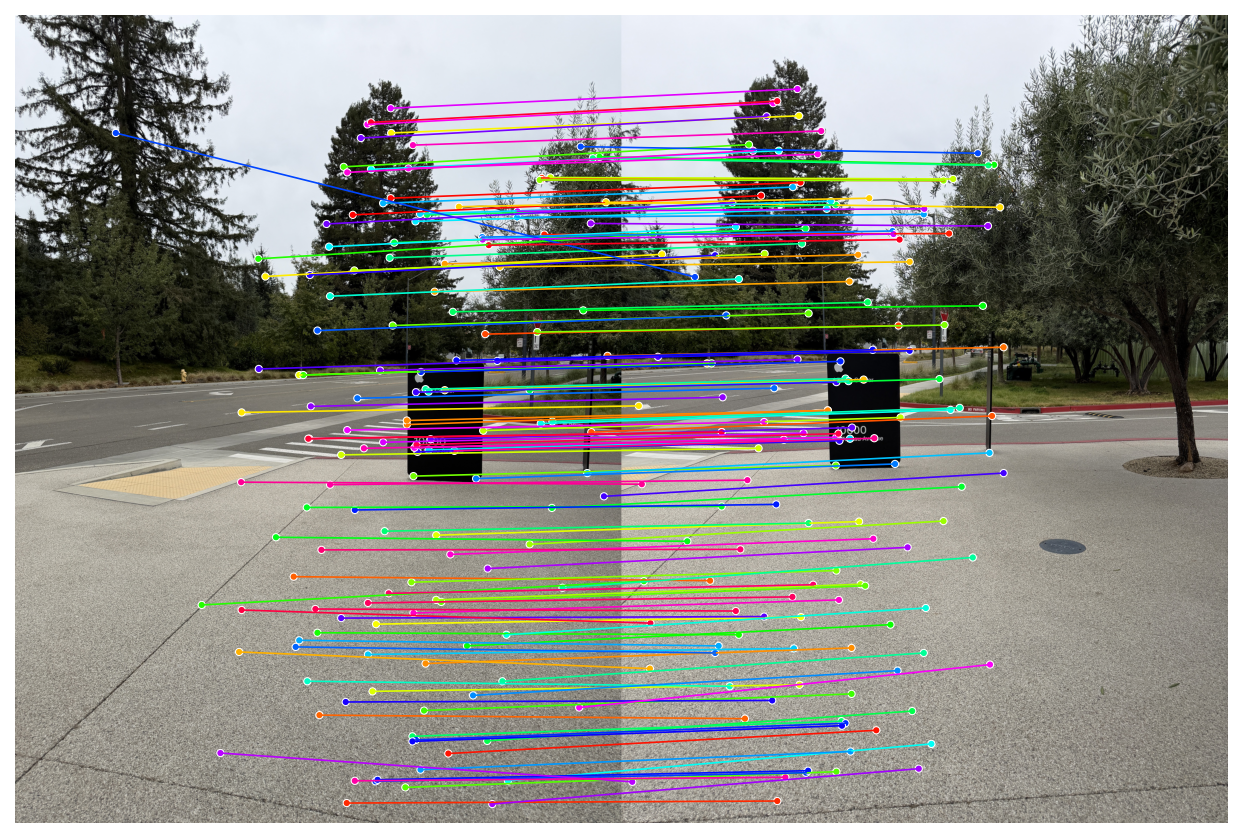
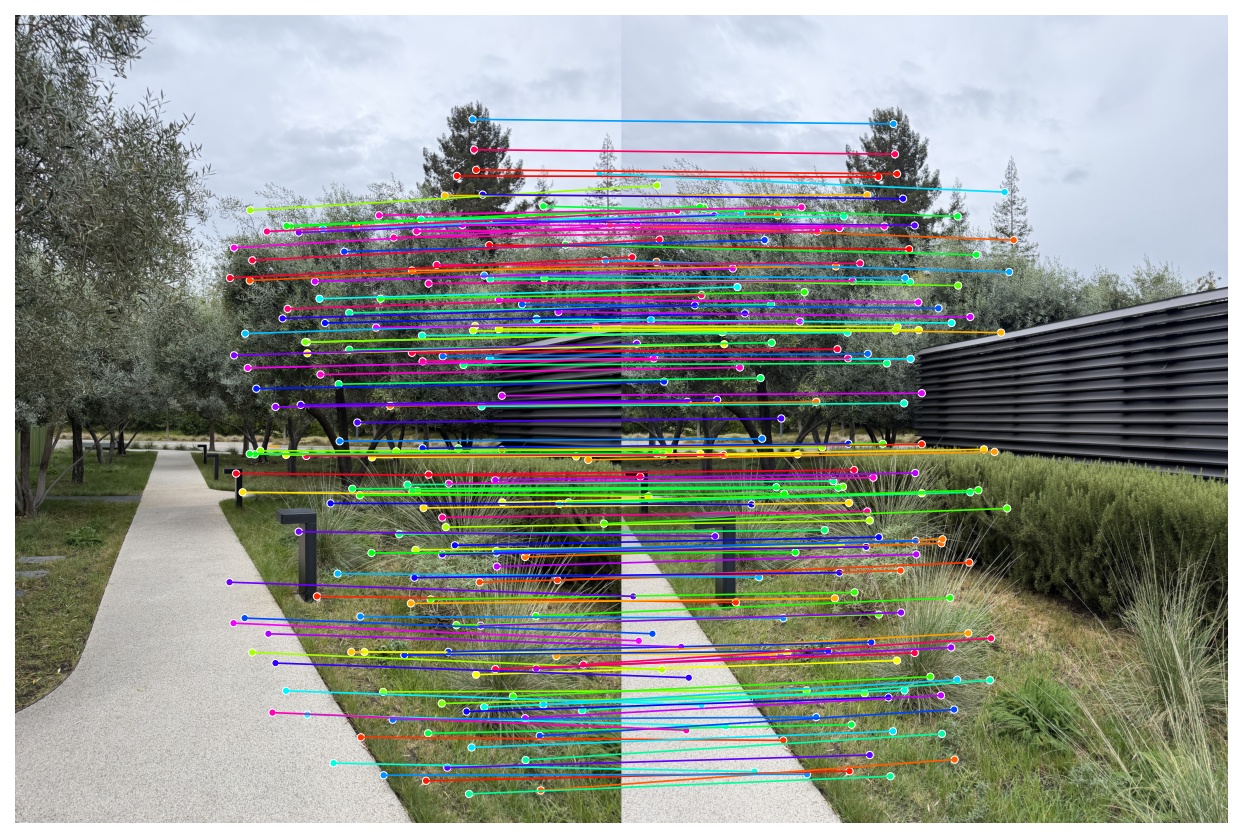
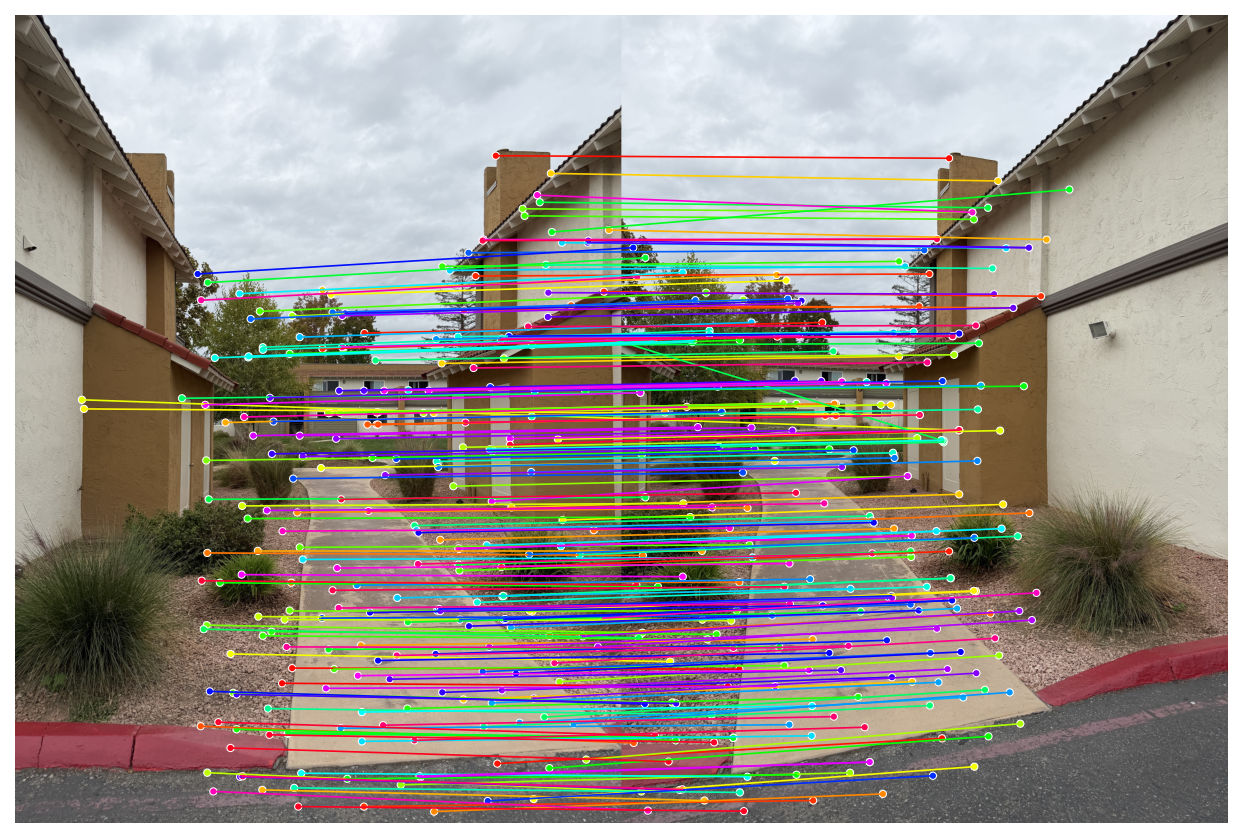
Most lines run parallel, so most matches are right, but a few cross and are clearly wrong.
B.4 RANSAC for Robust Homography
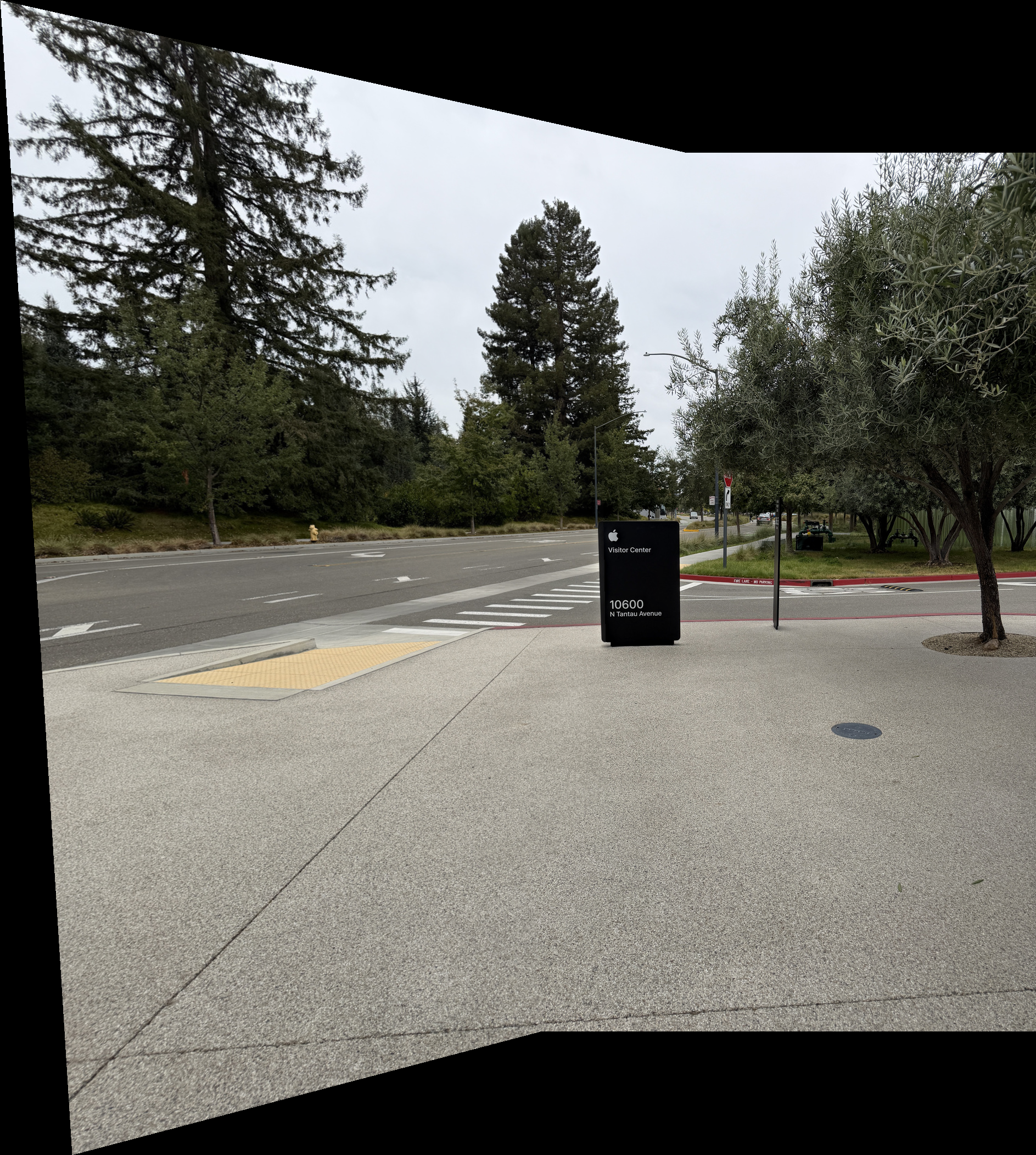
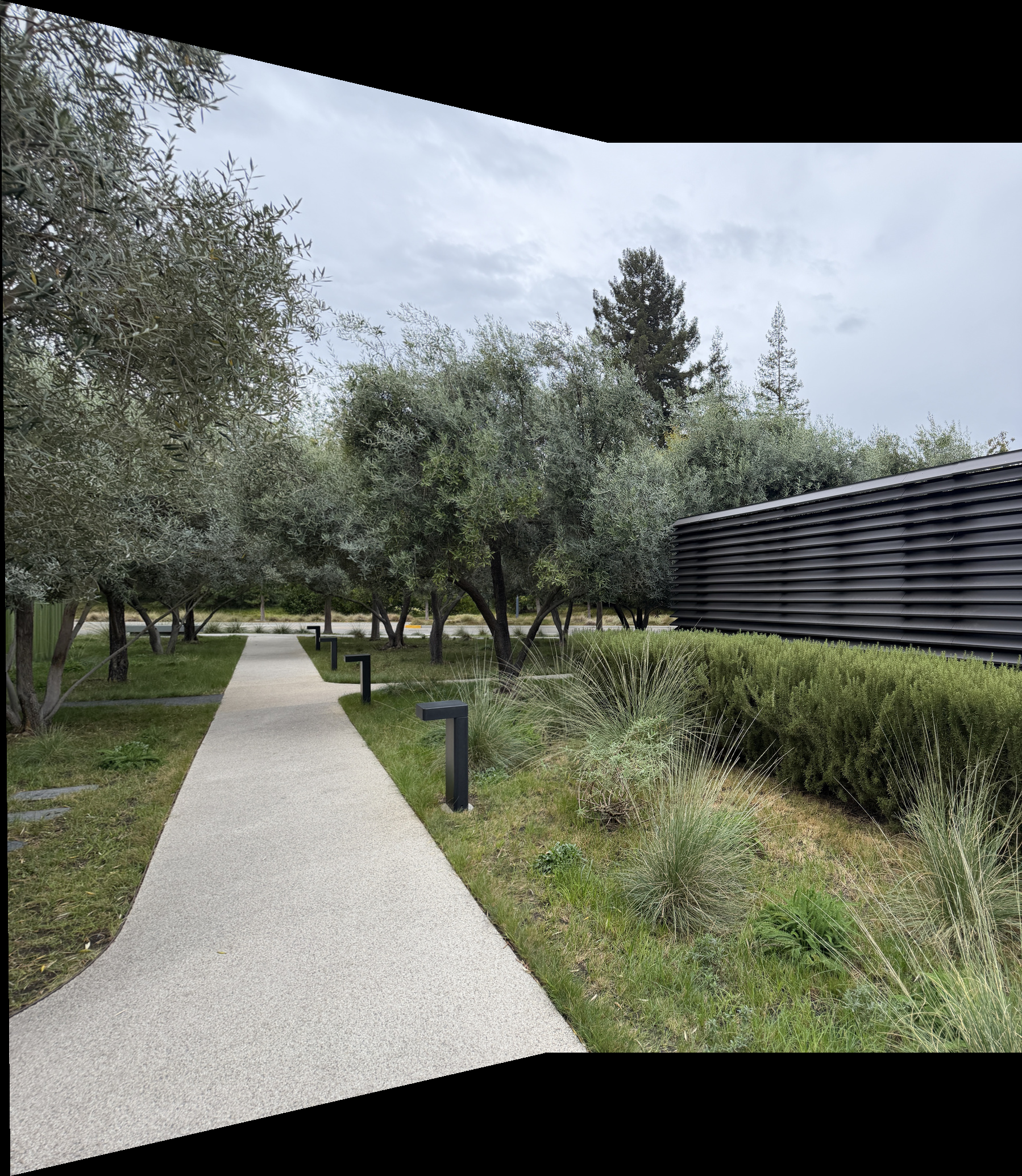
To throw out the wrong matches, RANSAC repeatedly fits a homography to 4 random matches and keeps the one that the most matches agree with (within 3 px). The final homography is fit to all of those matches. Here are the manual mosaics from Part A next to the automatic ones:
Set 1
Set 2
Set 3
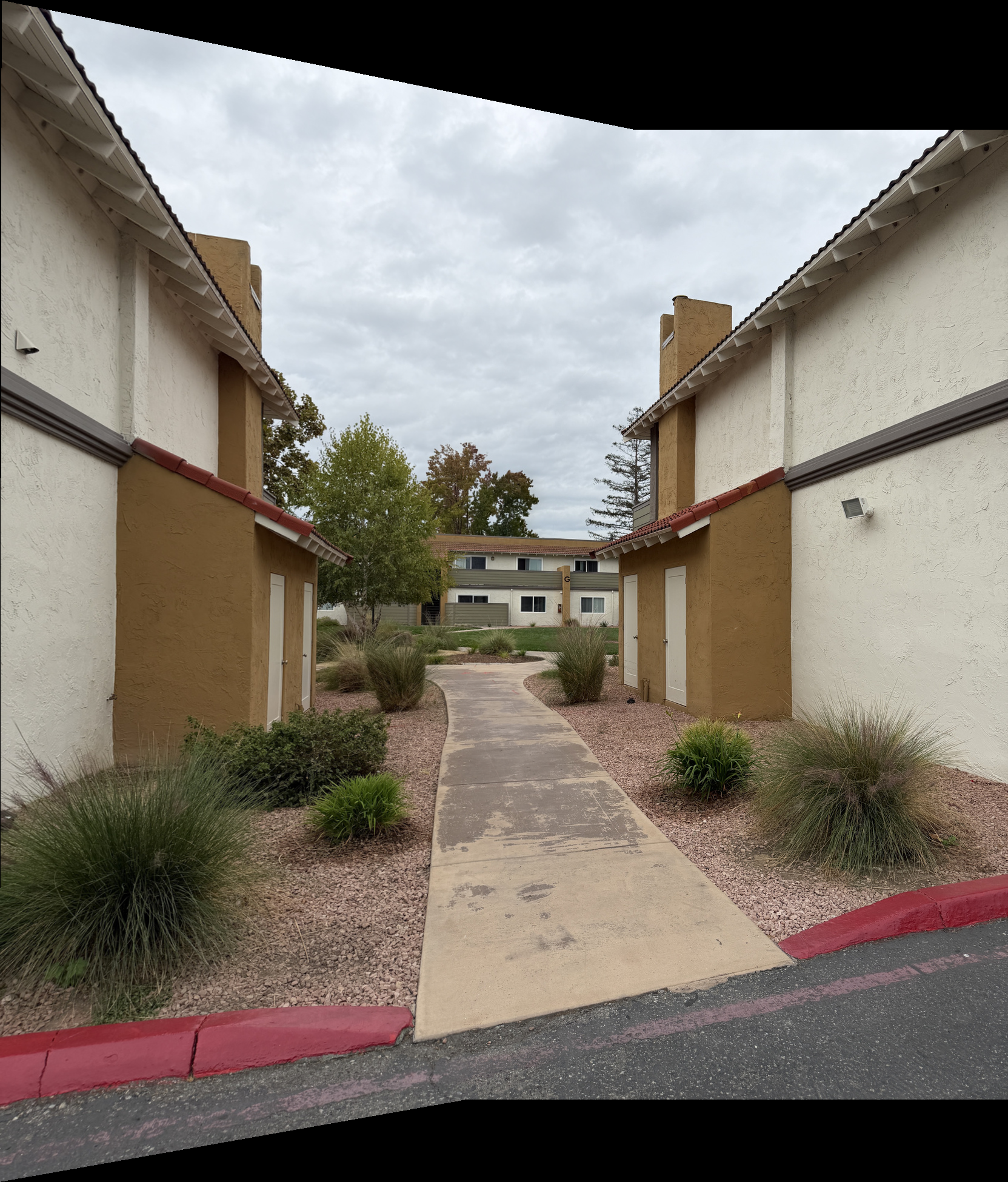
The automatic mosaics line up as well as the manual ones, with no clicking.